How to order & Use Vacay Card
How to Order & Use

How to order Vacay Card for the first time
For customers without a Vacay Card
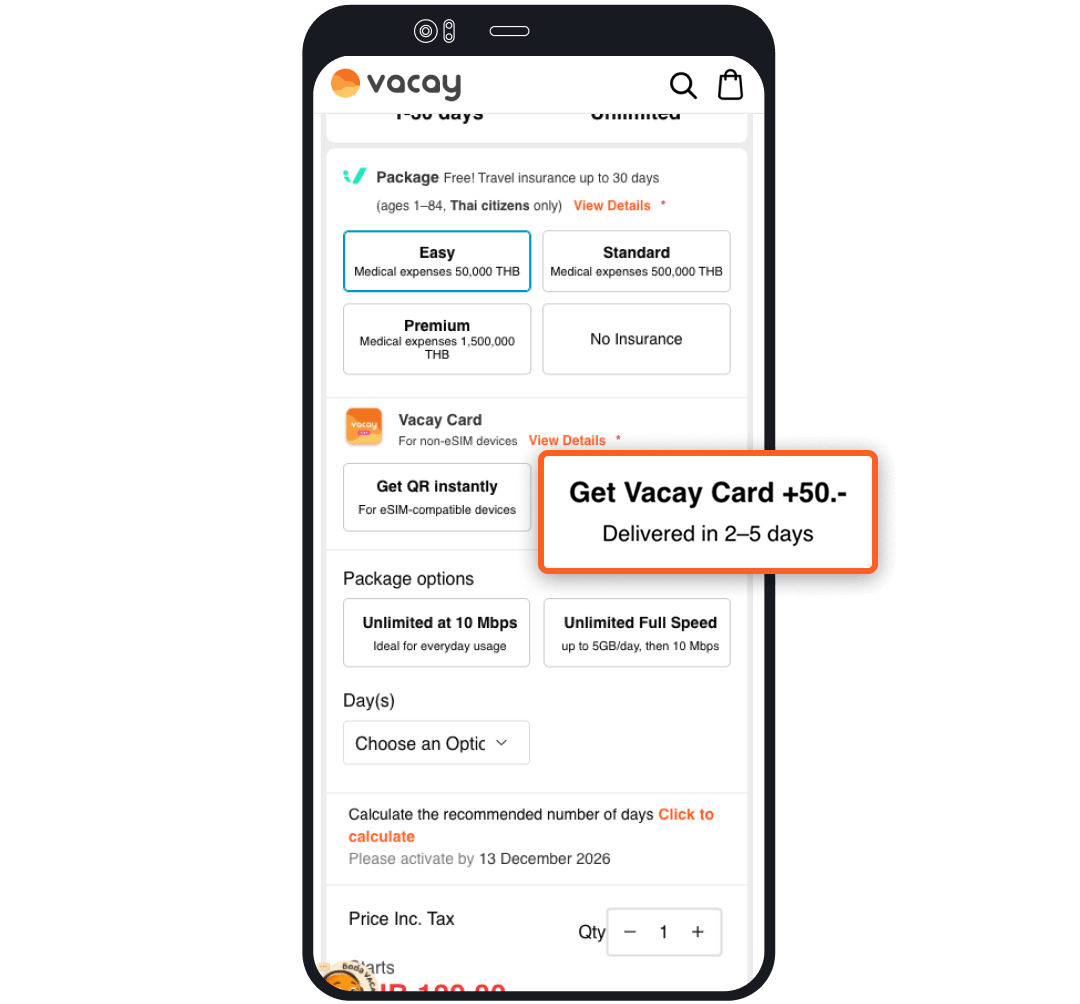
Select “Desired Package” and choose "Want Vacay Card"
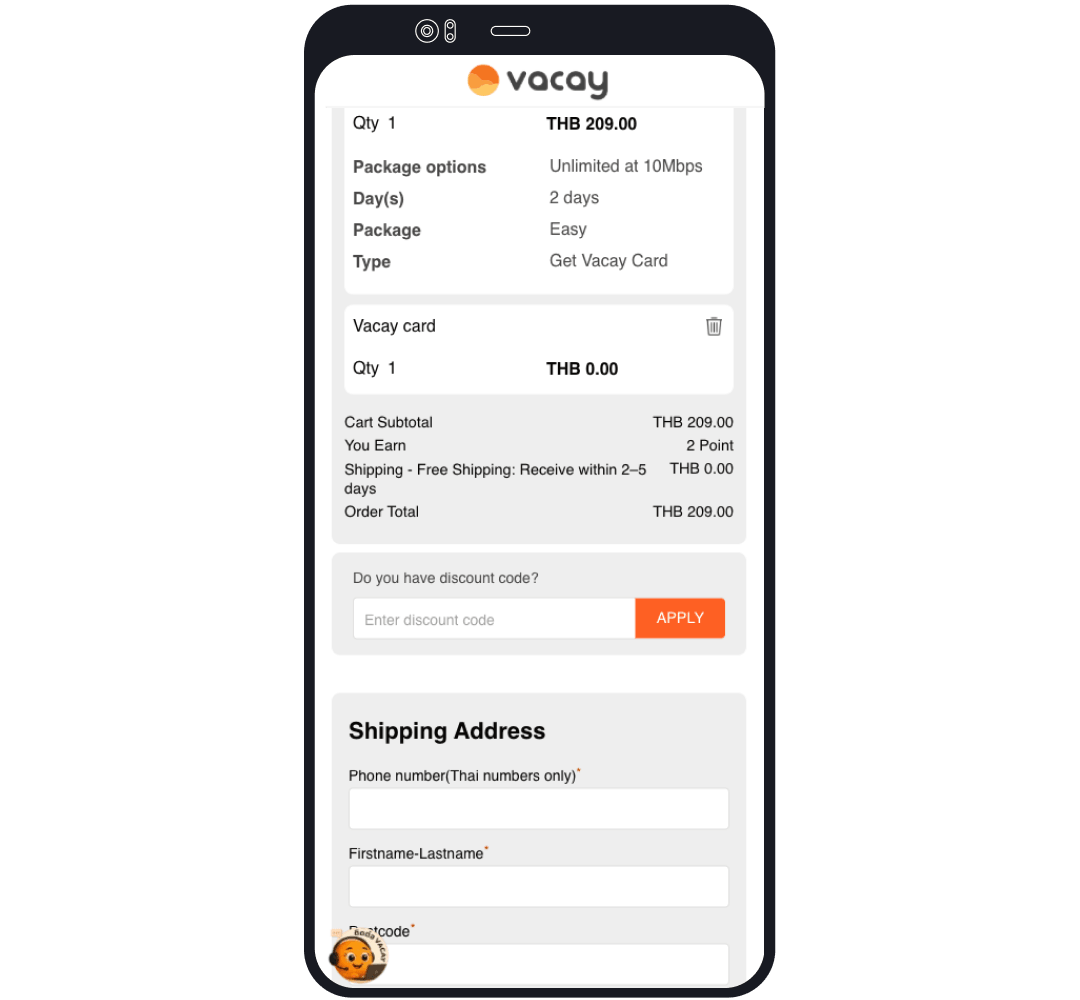
Fill in shipping address and make payment
Please double-check your address as it cannot be edited once shipped.
How to use Vacay Card for the first time

Before Departure
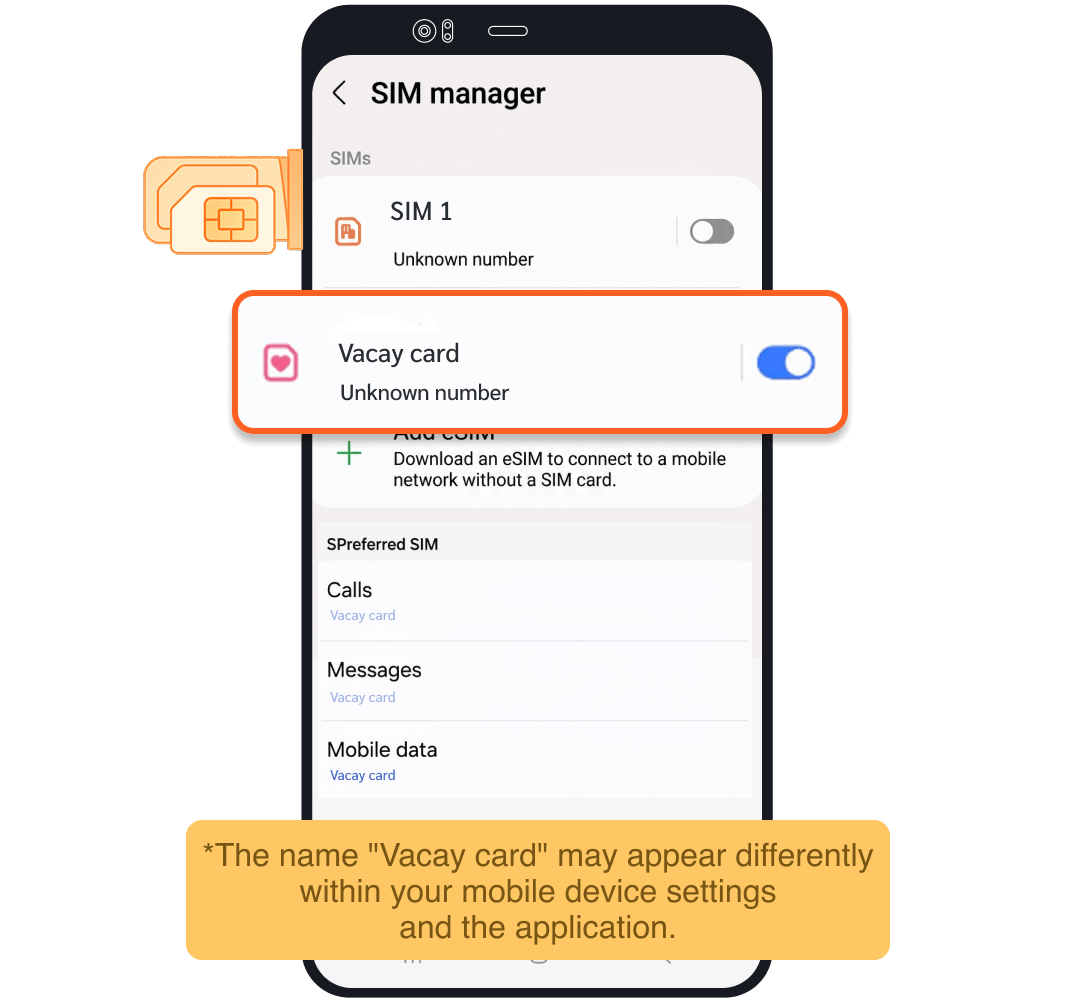
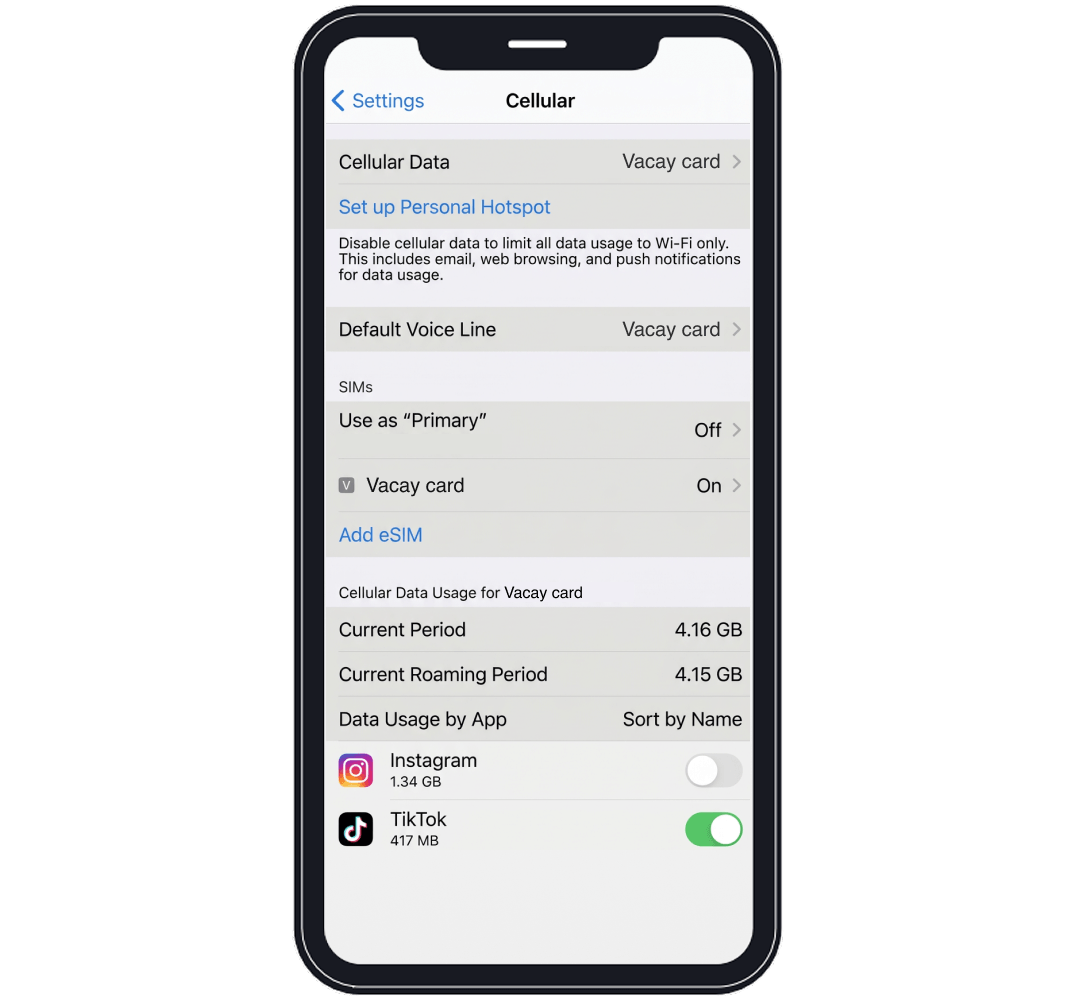
Insert Vacay Card into your phone and select “Vacay Card”
Upon Arrival at Destination
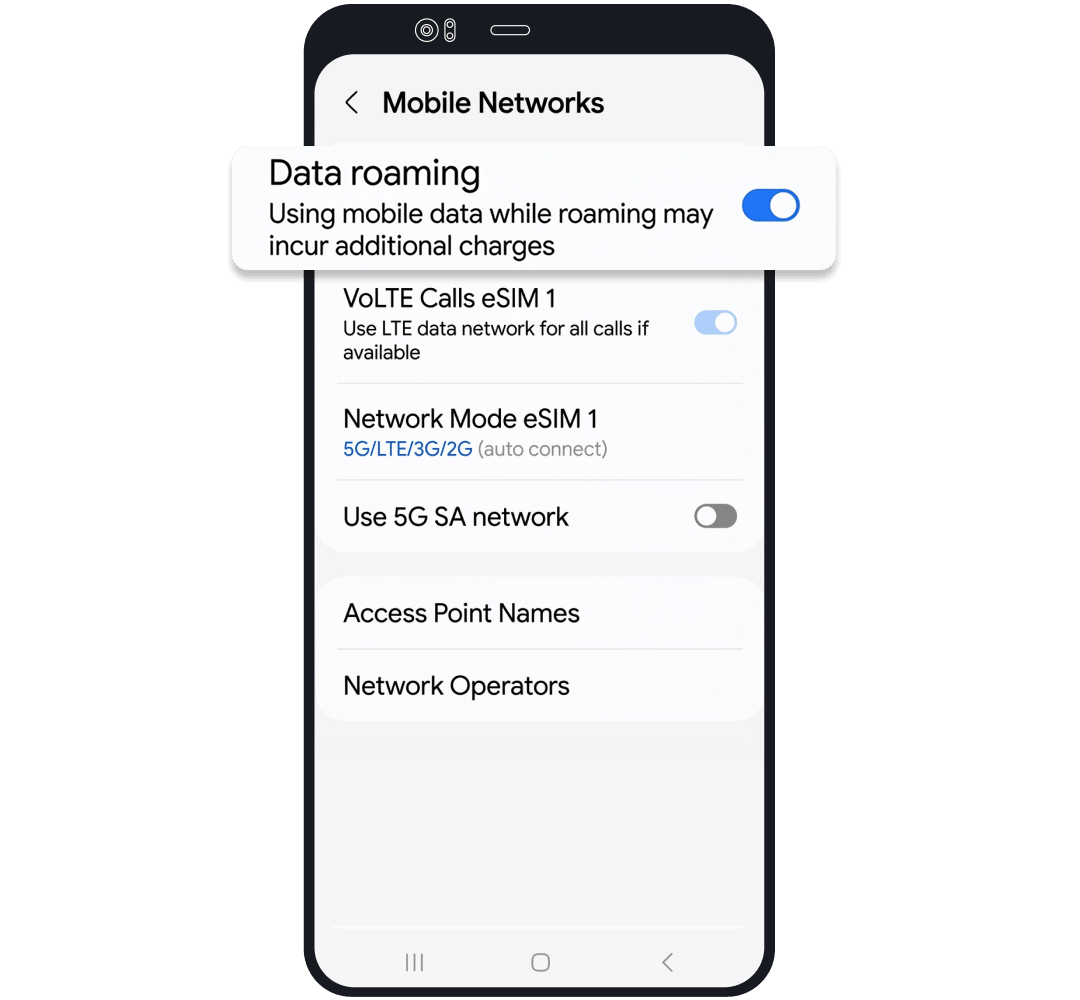
Turn on "Roaming" for Vacay card
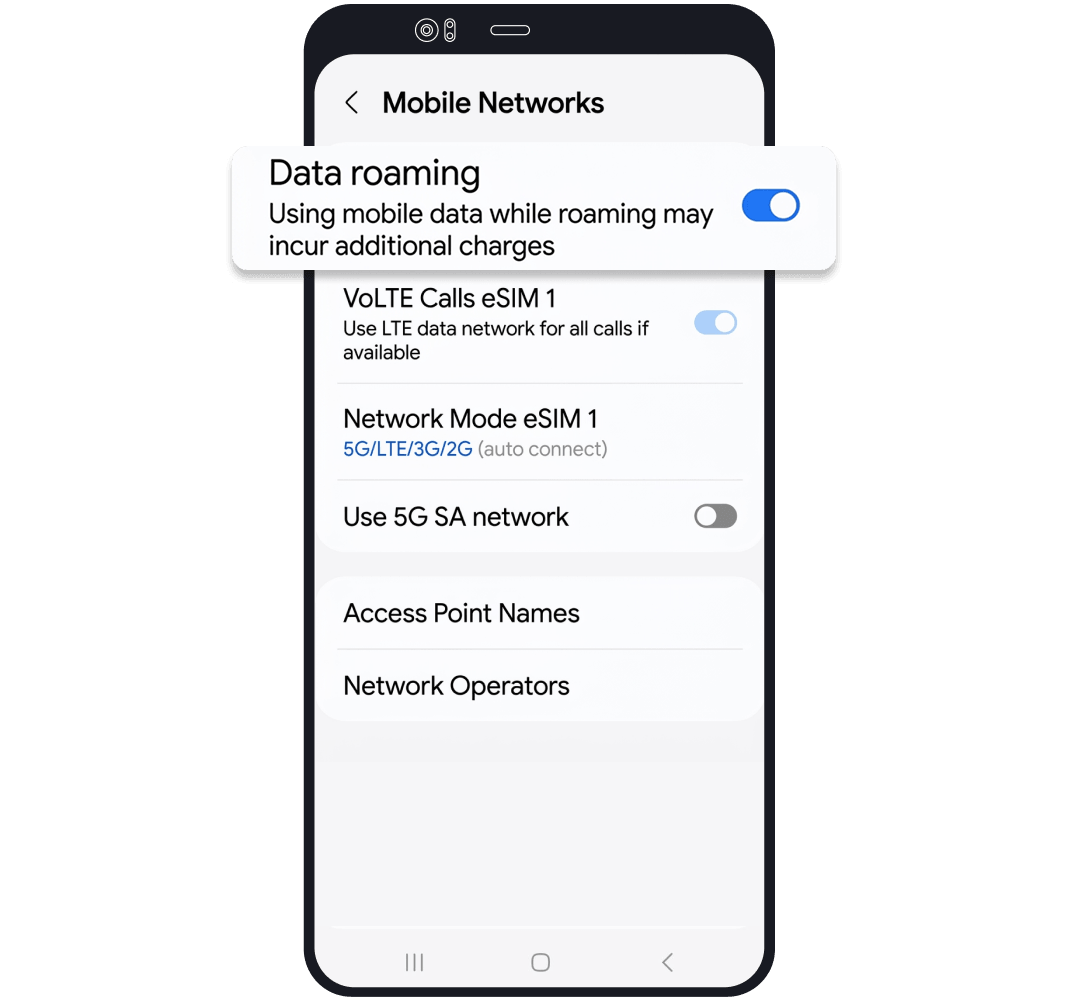
Before Departure
Insert Vacay Card into your phone and select “Vacay Card”
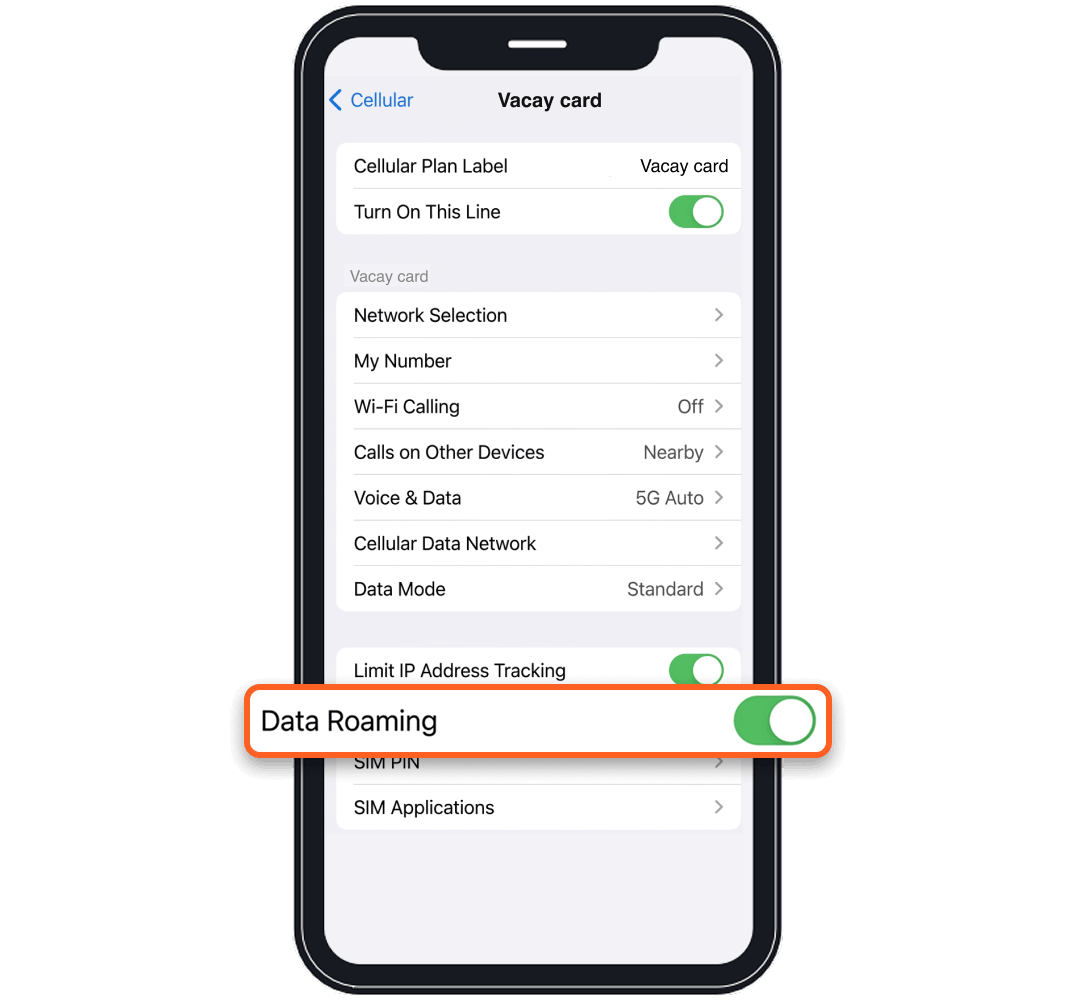
Upon Arrival at Destination
Turn on "Roaming" for Vacay card
How to order Vacay Card for next time
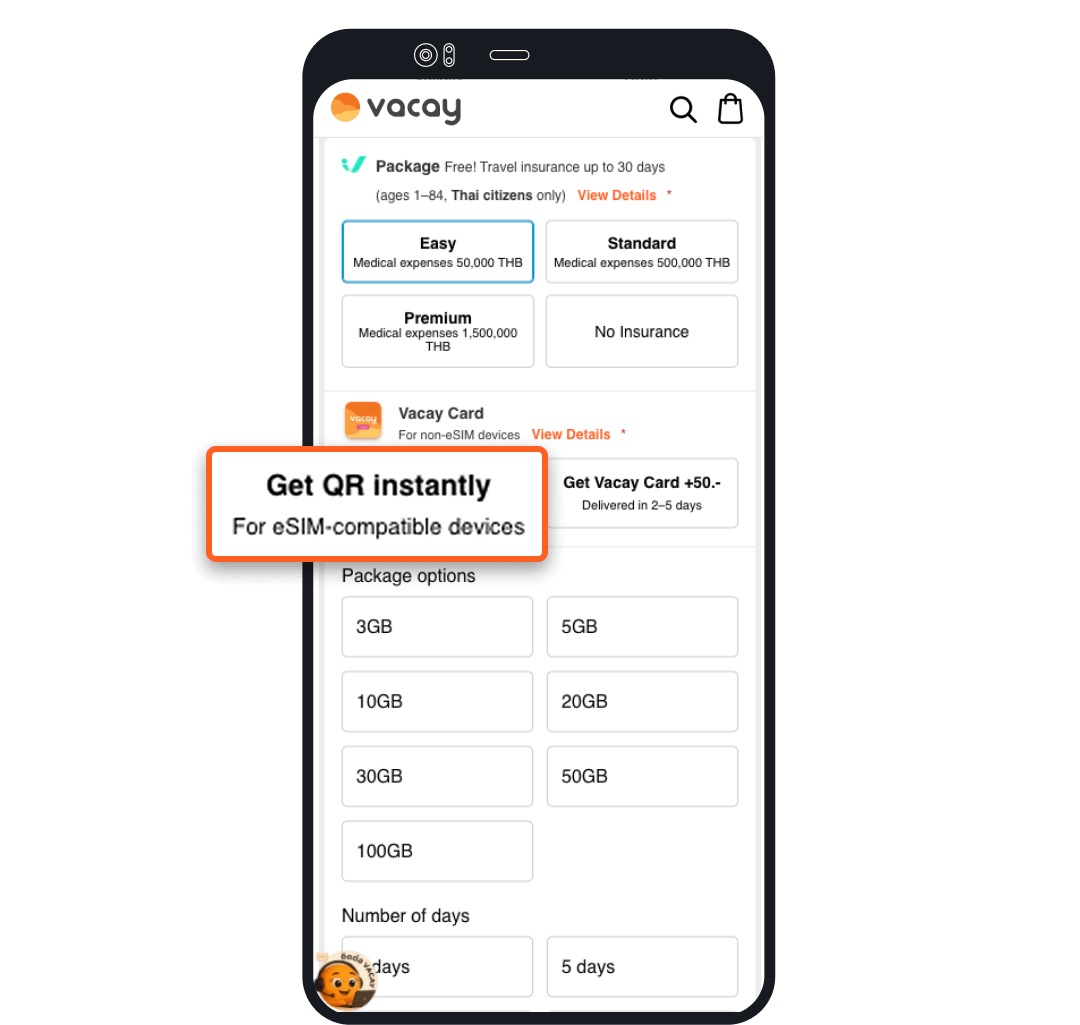
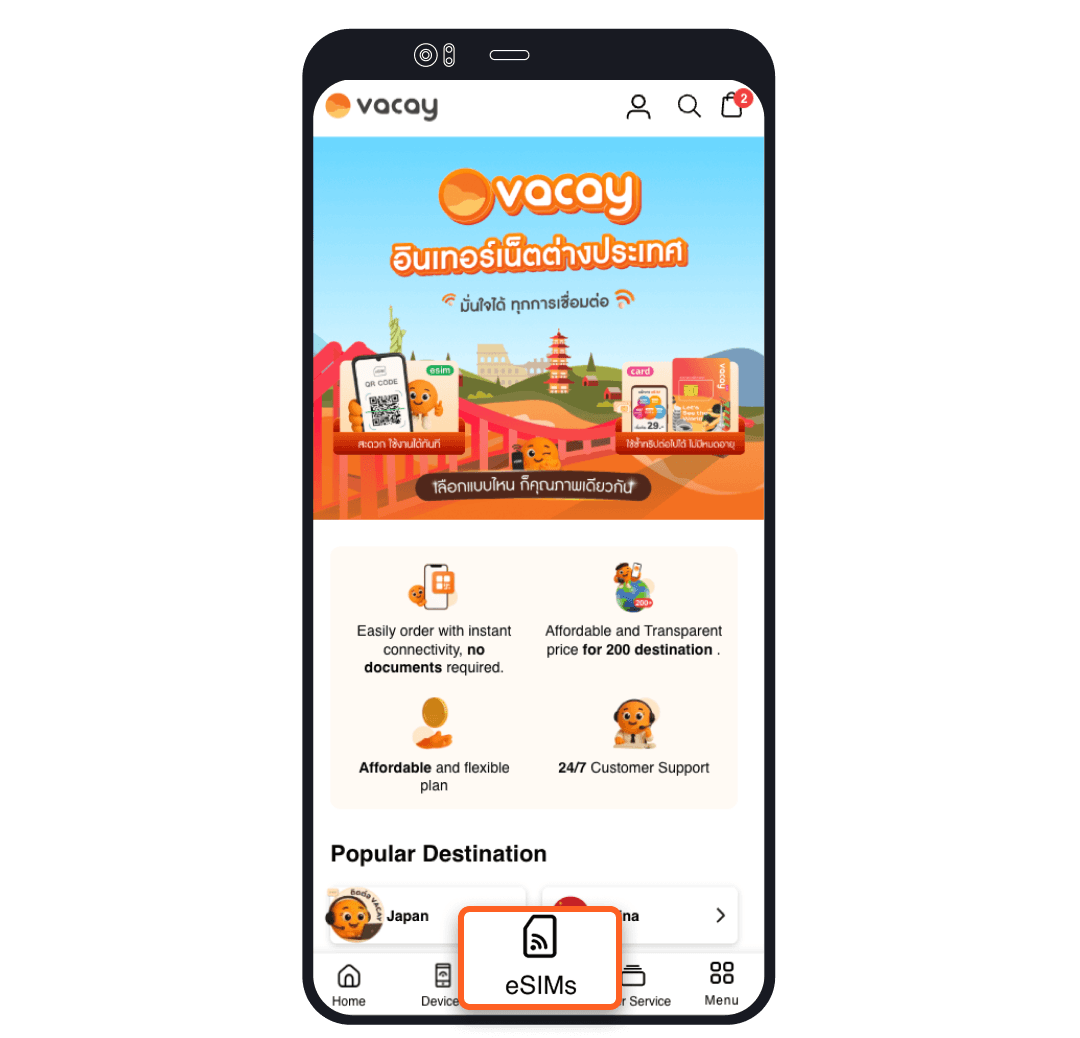
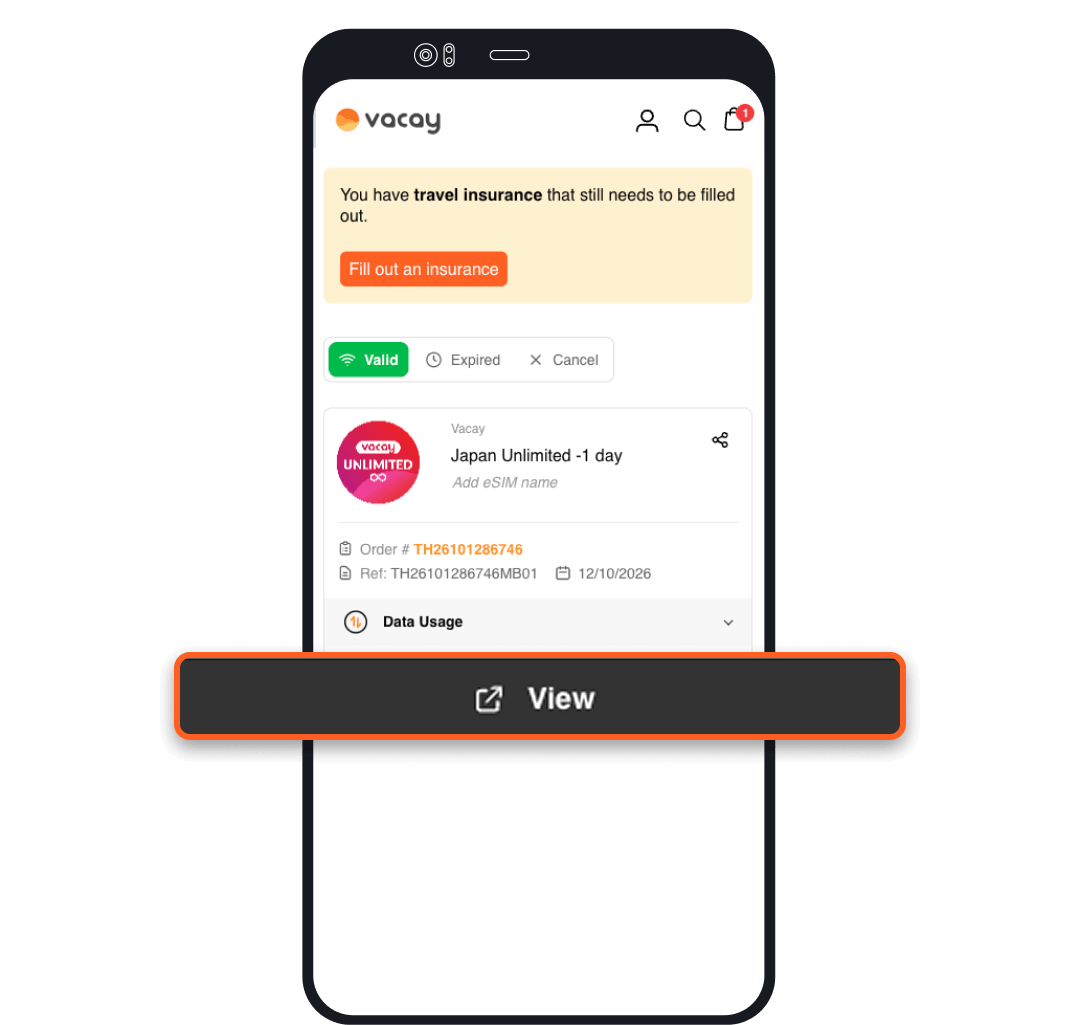
Select eSIM purchase for customers who already have a Vacay Card
Purchase your desired package on eSIM.Vacay and complete payment
How to use Vacay Card for next time
This installation procedure is for Android devices supporting Vacay Card only
For setup, your device must be connected to a stable internet connection or WiFi
Mobile Device


Vacay card

Application Vacay Card
Scan QR code to install the Vacay Card App for Android on your phone or tablet


Insert Vacay Card into your target device

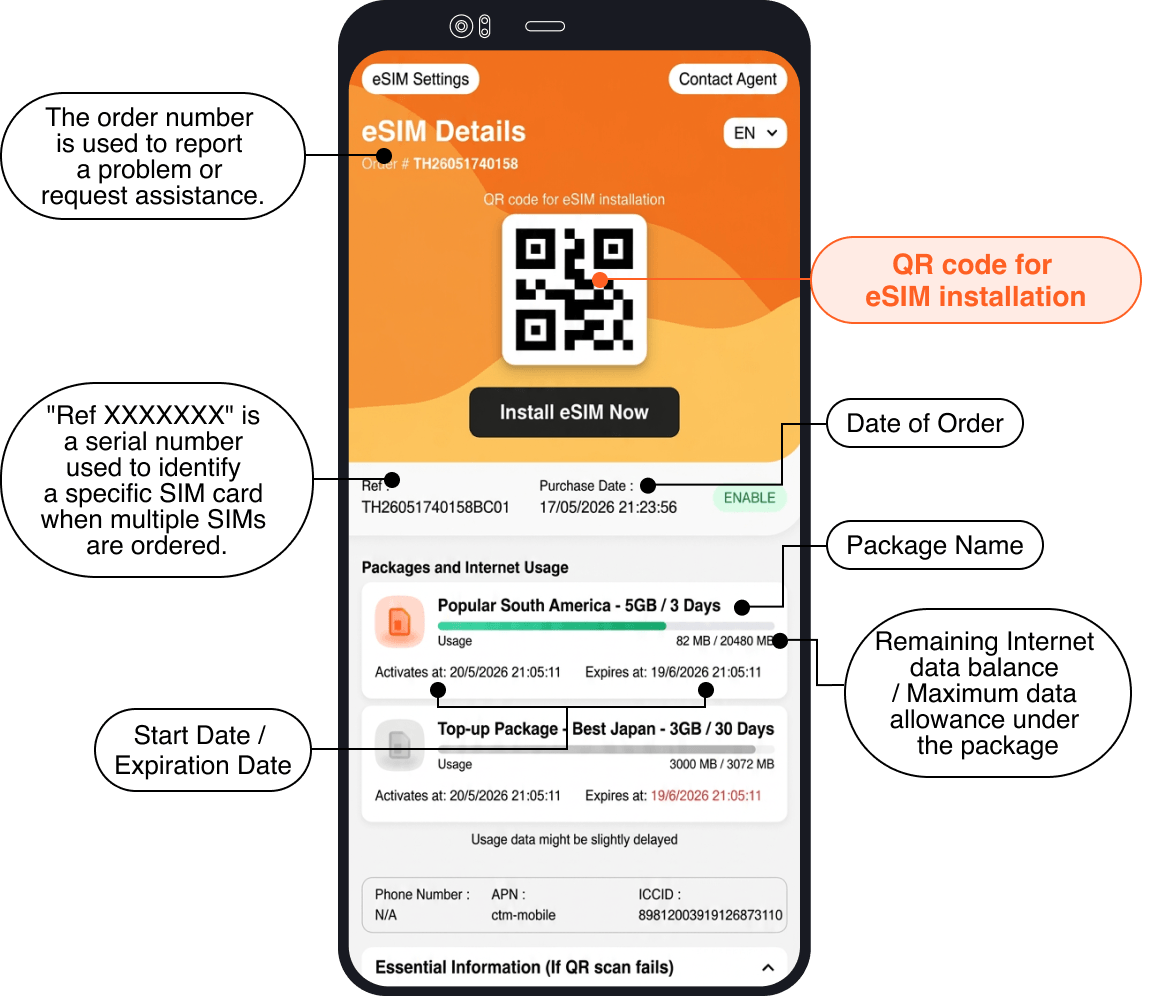
Select + to add eSIM info into the App

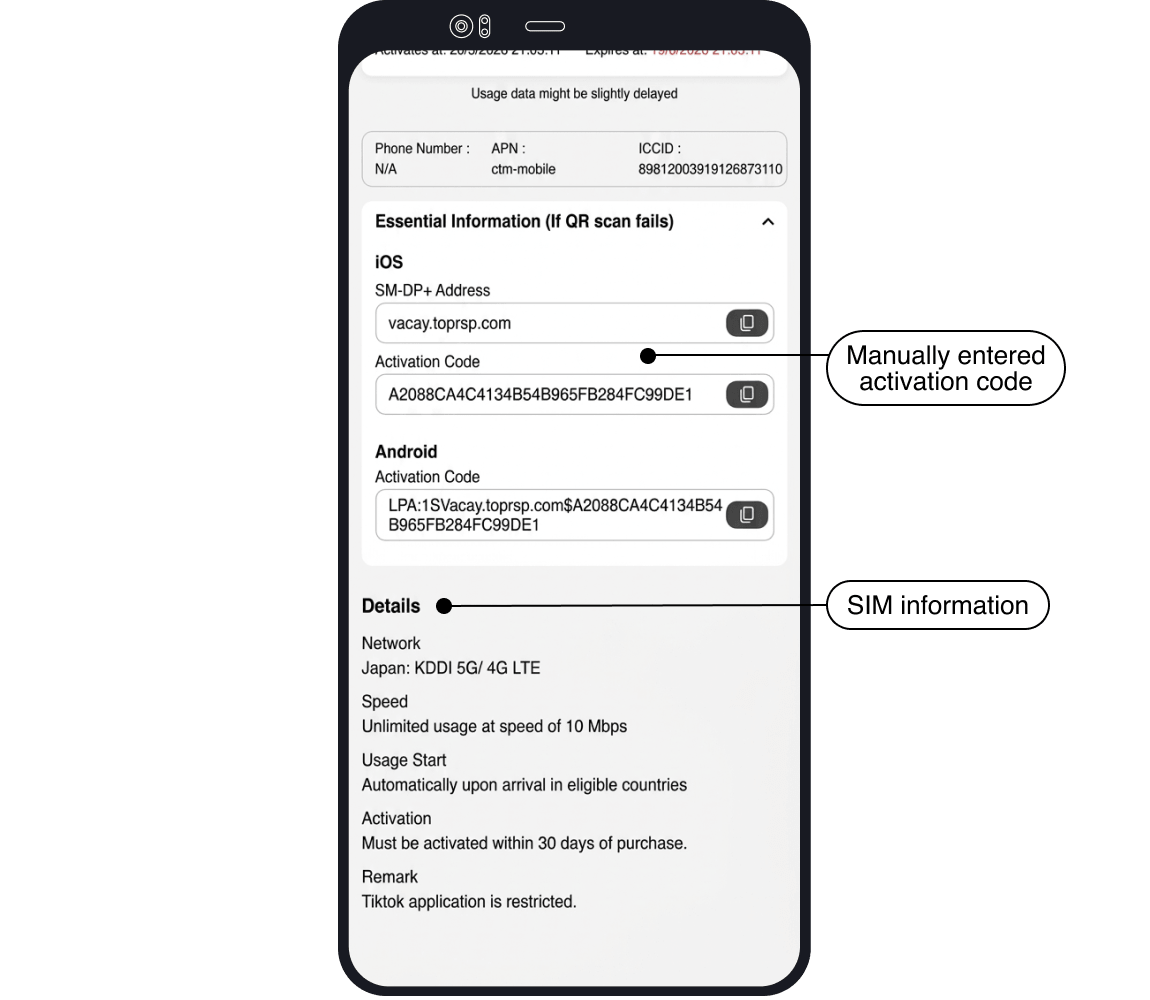
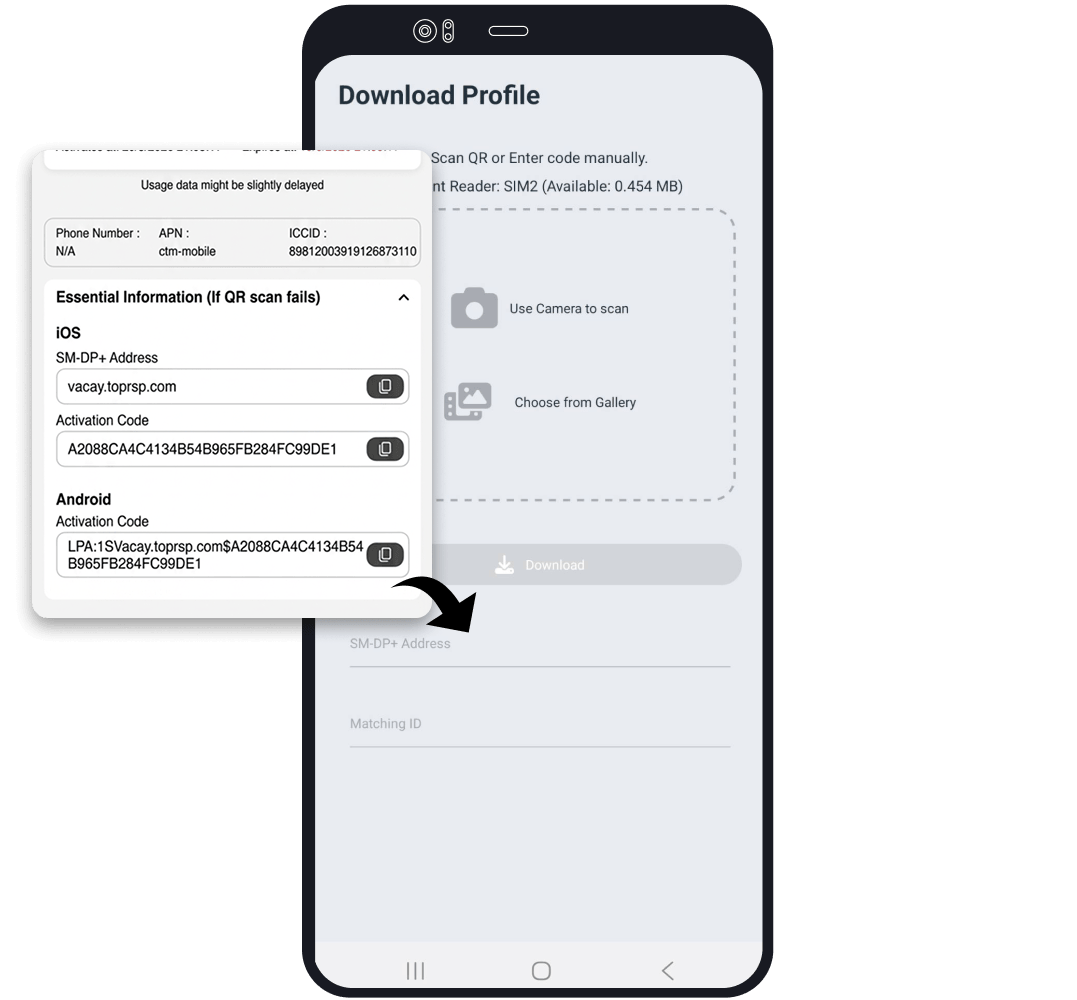
There are 2 methods to add data,select only one method
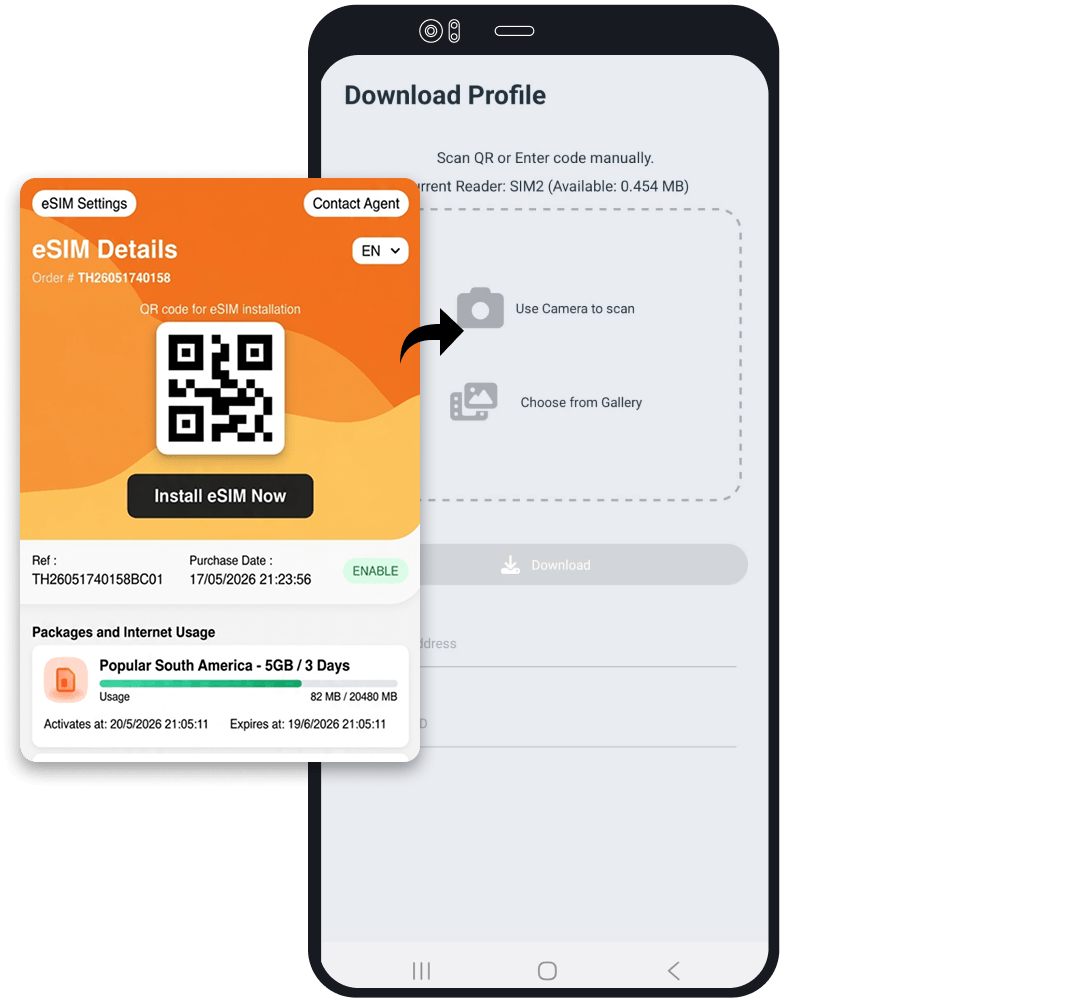
into SM-DP+Address field
Verify that your eSIM is in the App and click the “Enable” button

Before Departure
Insert Vacay Card into phone and select “Vacay Card”
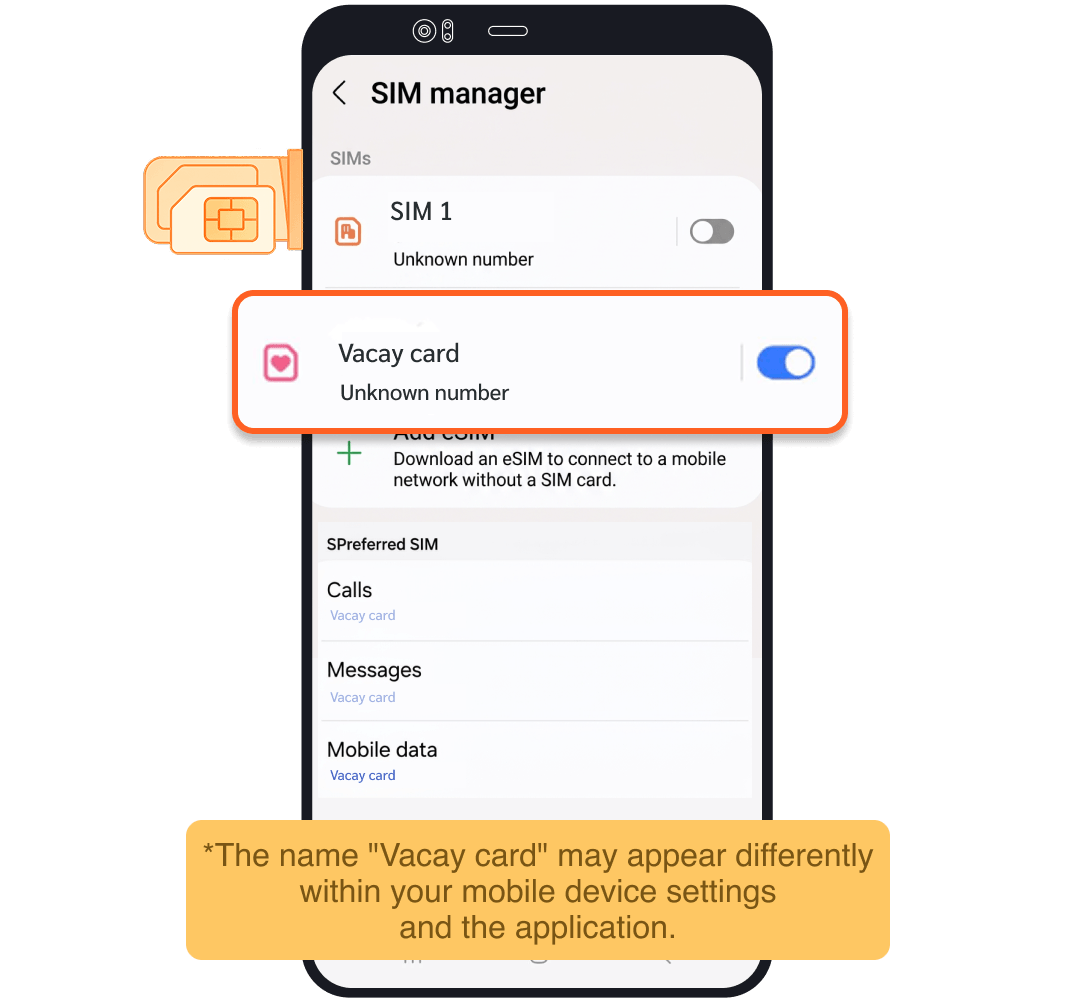
Upon Arrival at Destination
Turn on "Roaming" for Vacay card