
eSIM Purchase Guide
The ordering process is simple and can be done entirely by yourself—no waiting for delivery and no advance booking required. You can order online, pay only what you see with no hidden charges, and activate it instantly, 24/7, without any complicated SIM registration or paperwork. Check compatible models before purchasing. For example, when buying an eSIM for China, you can order via the website, select your desired package, choose the number of GB and validity days, make your payment, and start using it immediately.
> Please place your order using the Google Chrome browser app.
How to Buy an International eSIM?
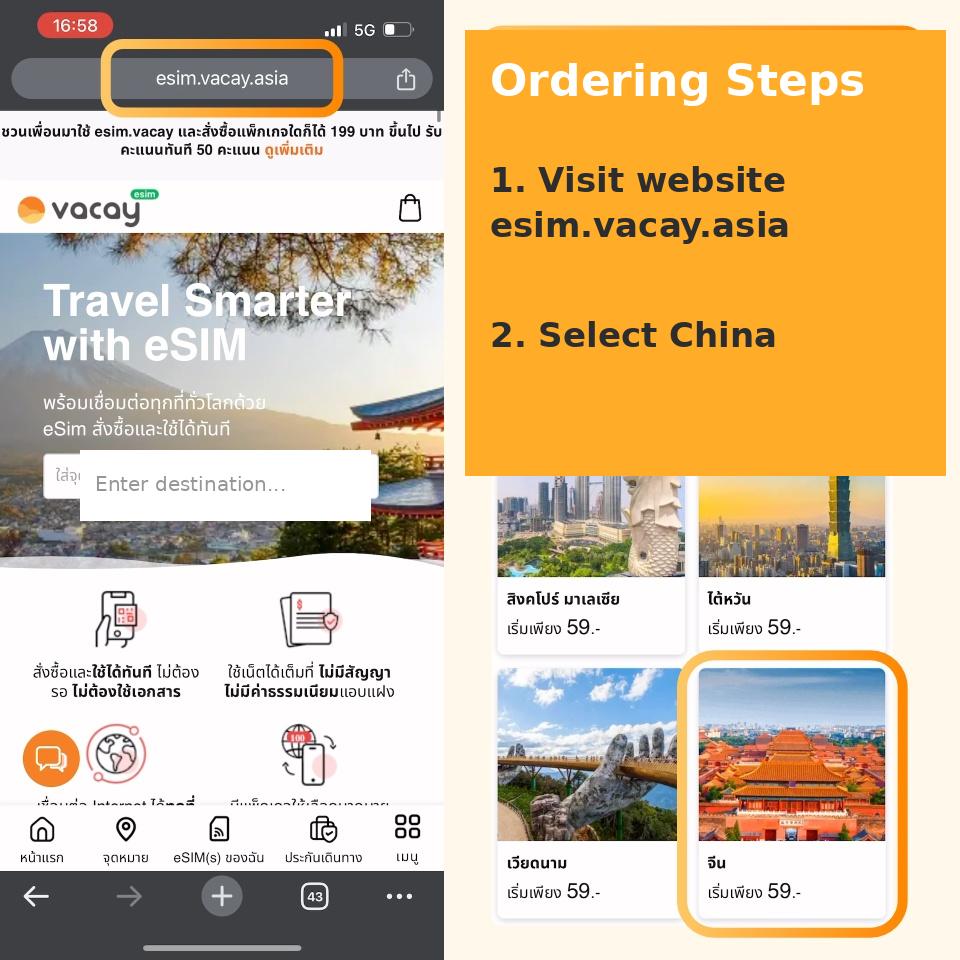
1. Visit the website esim.vacay.asia
2. Select your destination country (two methods available):
2.1 Method 1: Choose from popular destination images on the homepage
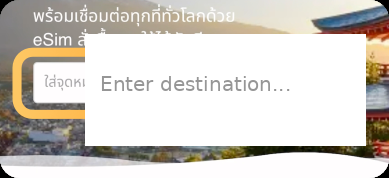
2.2 Method 2: Search for the country in the "Enter destination..." search box (in Thai or English)

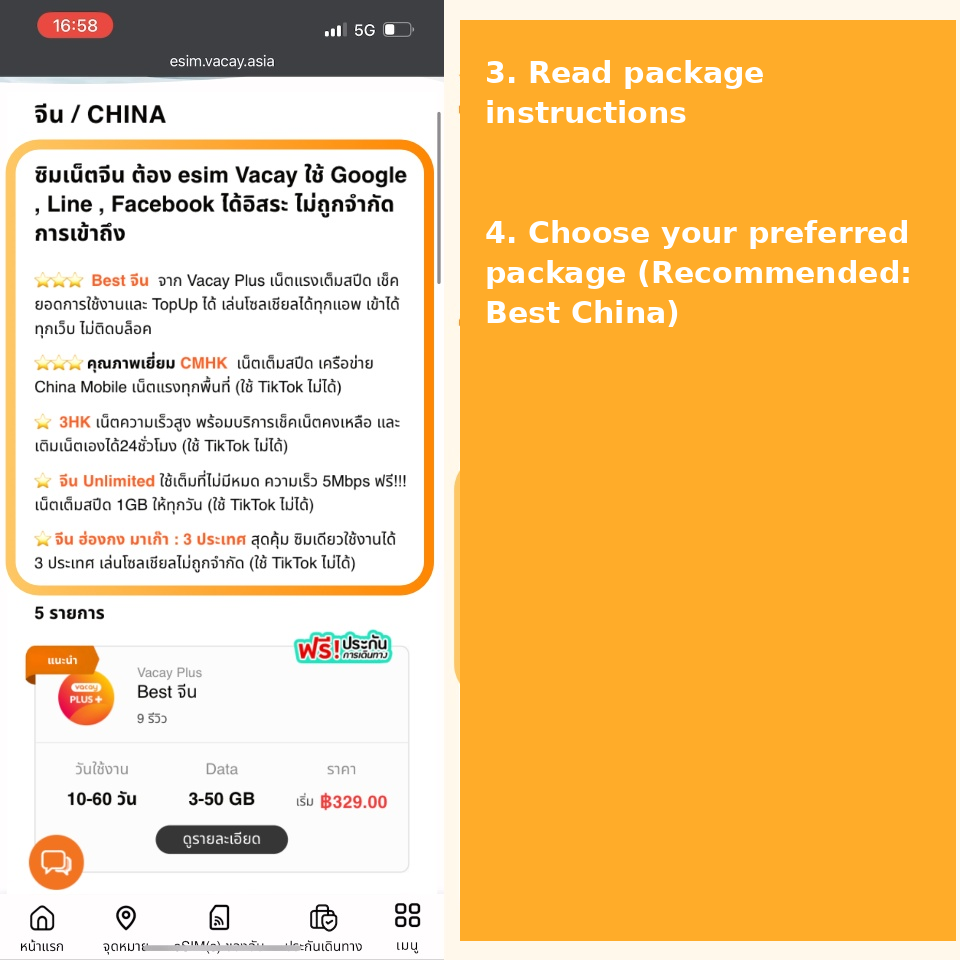
3. Read the instructions for each package to compare and find the SIM features that best suit your needs, as shown below.
4. Choose your preferred package (Example for China: Recommended "Best China Package")
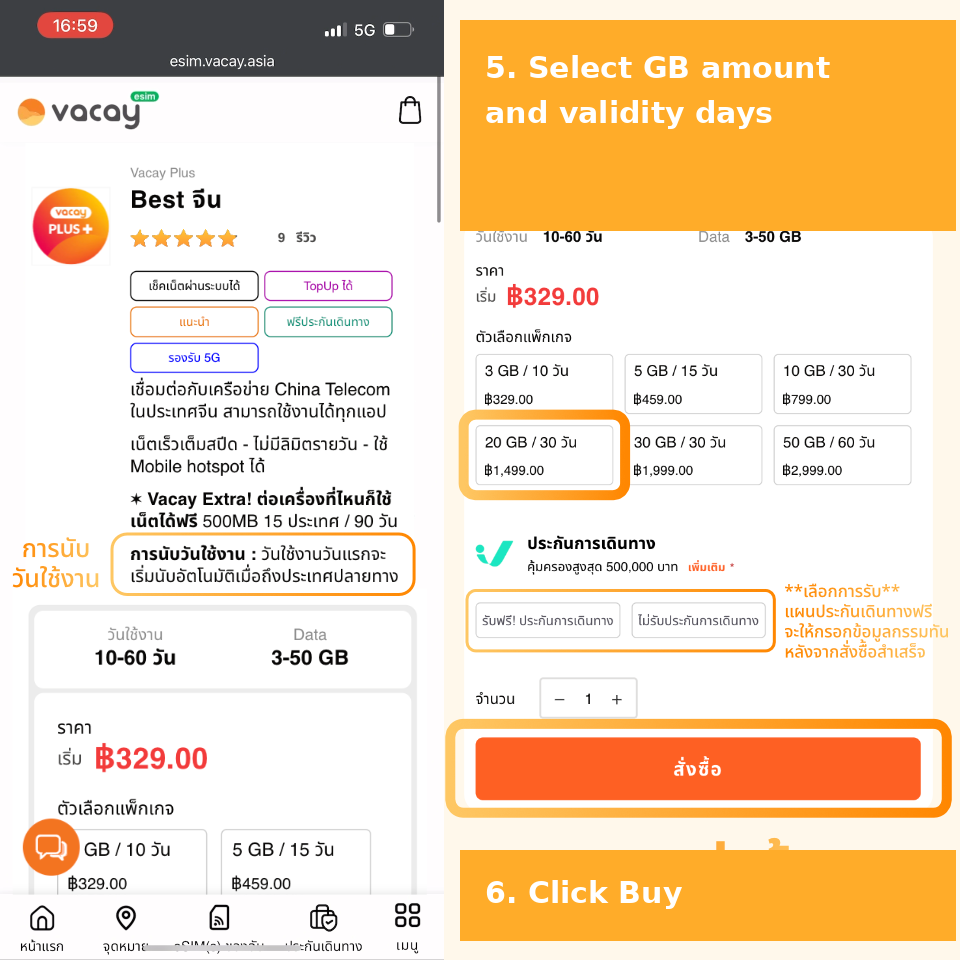
5. Select the approximate GB and number of validity days
Important: Carefully read the instructions for your chosen package on this page, including day calculation, supported networks, usage terms, and full package details. If you choose to include travel insurance, you will be asked to fill in your insurance policy details after a successful purchase.
6. Click "Buy Now"
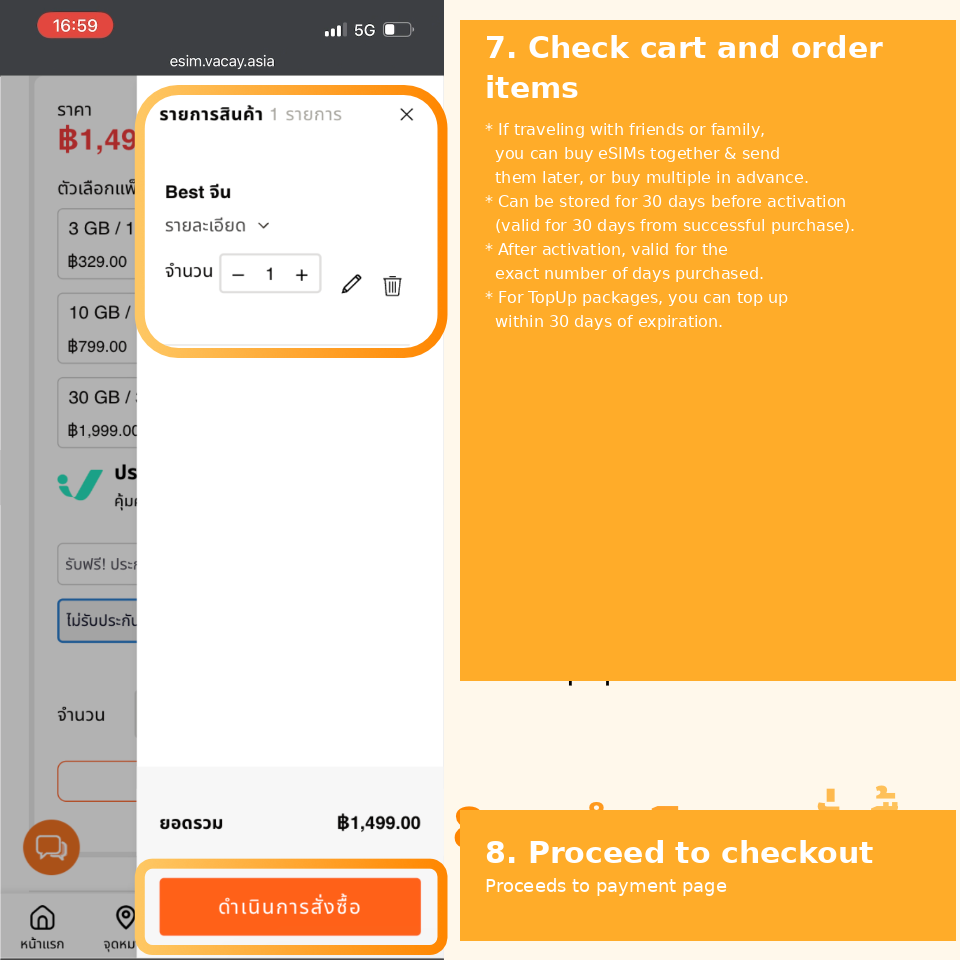
7. Review your cart and order items
* If you are traveling with friends or family, you can purchase SIMs together and send them later, or buy multiple SIMs in advance for future trips.
* SIMs can be purchased and stored for up to 30 days before activation (the received SIM is valid for 30 days prior to activation from the date of successful purchase; please use it before expiration).
* Once successfully activated, it can be used according to the number of days purchased.
* For top-up eligible packages, you can top up within 30 days after the package expires. Top-up eligible packages do not require buying multiple SIMs. View Top-Up Guide
8. Click "Proceed to Checkout" to go to the payment page
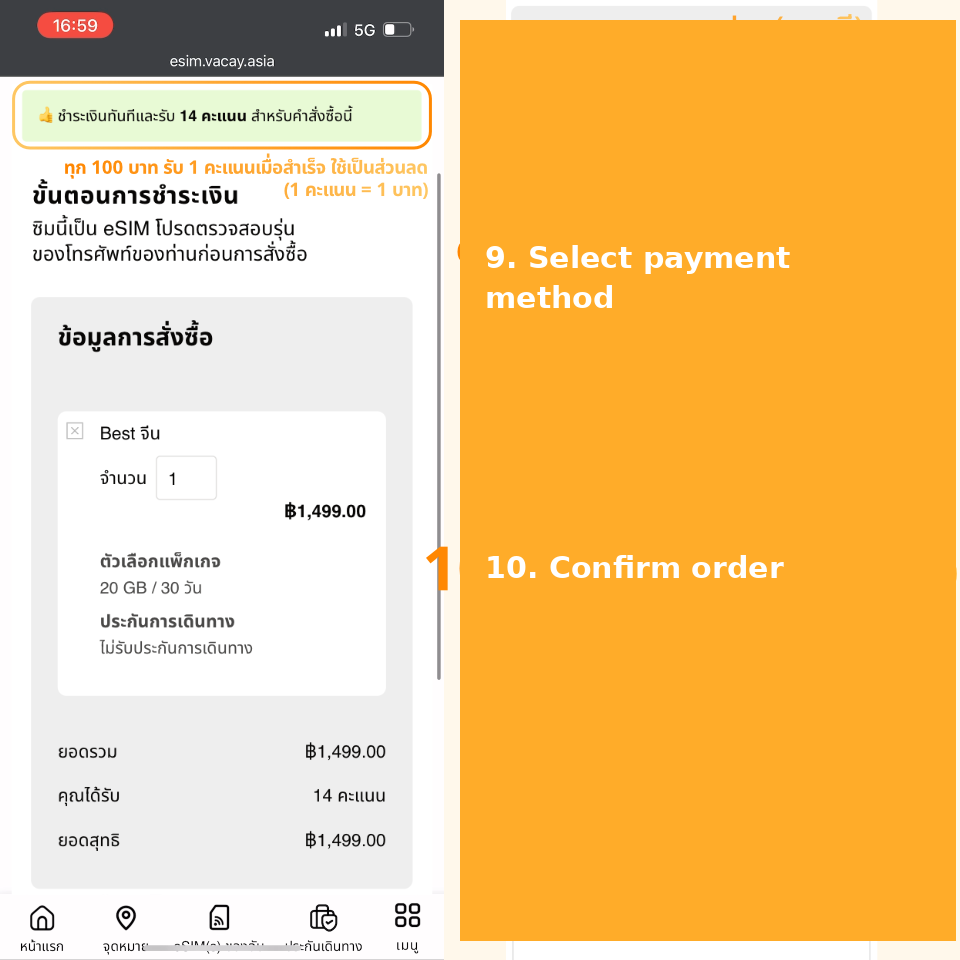
9. Select a payment method (PromptPay recommended)
-> Earn 1 point for every 100 Baht spent upon successful payment, redeemable as a discount (1 point = 1 Baht).
-> Enter a coupon code (if applicable).
-> Use points for a discount (if applicable).
10. Click "Confirm Order"
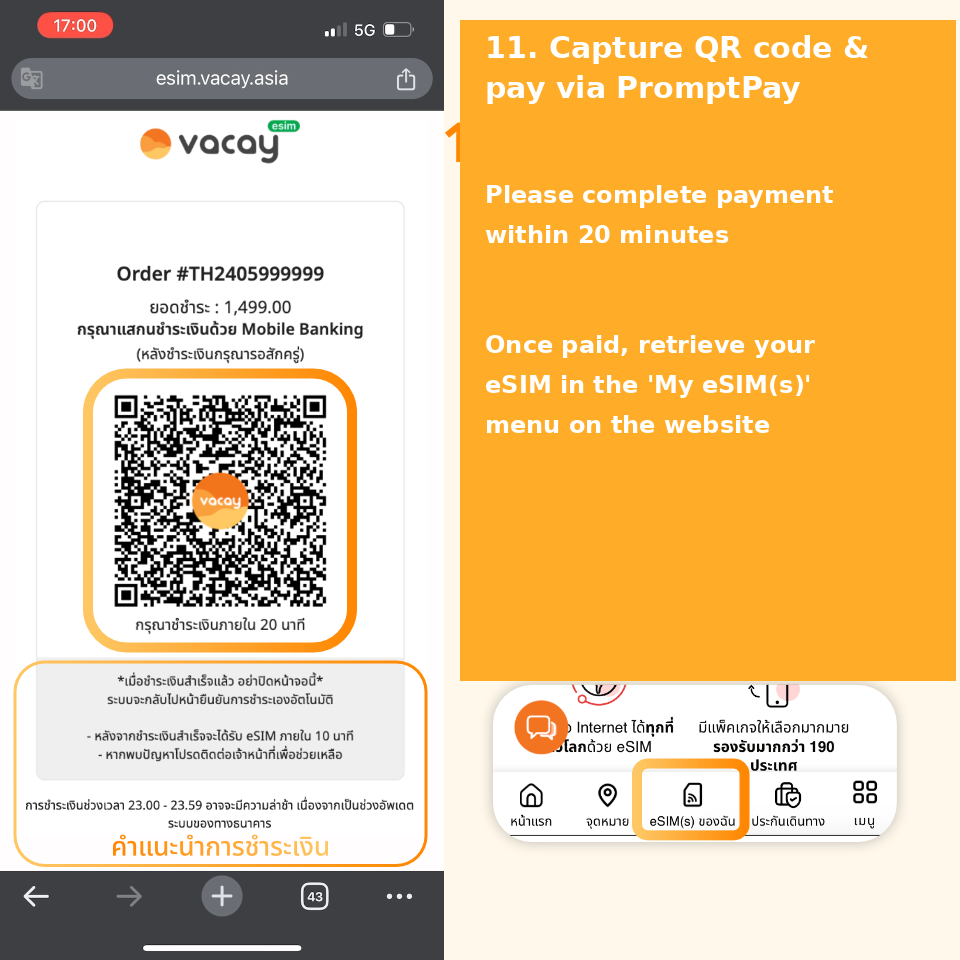
11. Capture the payment code and complete payment via PromptPay (or your selected method)
Read the payment instructions and complete your payment within 20 minutes. Once payment is finished, retrieve your eSIM under the My eSIM(s) menu on the website.
>> That's it—Order Successful! <<
Where to Find Your eSIM After Purchasing?
Once payment is complete, retrieve your eSIM under the My eSIM(s) menu on the website.
* Click "View eSIM Details" > Displays the eSIM QR Code for activation (see the following image for detailed descriptions of eSIM data).
* Click "Check Usage" > Displays remaining data as a percentage (%) as well as used data vs. maximum data allowance for that package, activation date, and expiration date. If your purchased package includes a free 500MB bonus, it will be shown below. If topped up, additional packages will be listed sequentially, identifiable by the package name. If the purchased package is unsupported, you can view instructions for iOS or Android.
* Top-Up Service > Read important conditions for topping up packages via the Top-Up Guide.
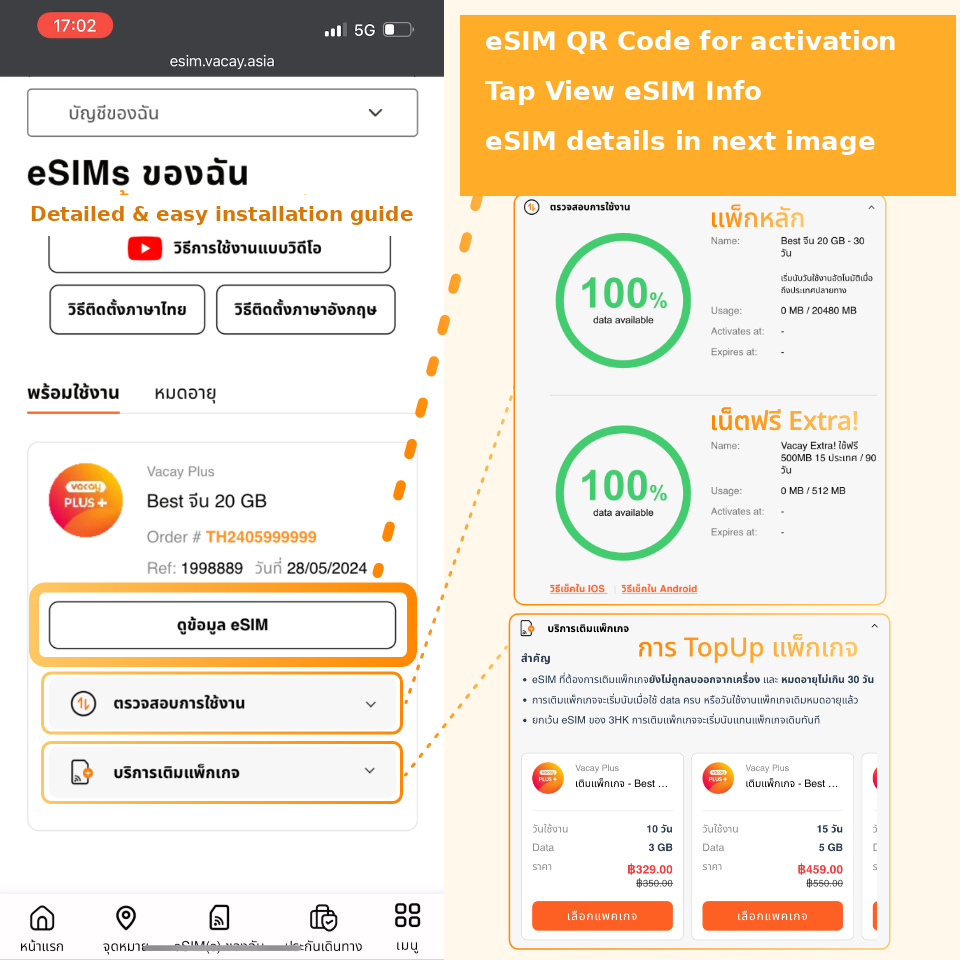
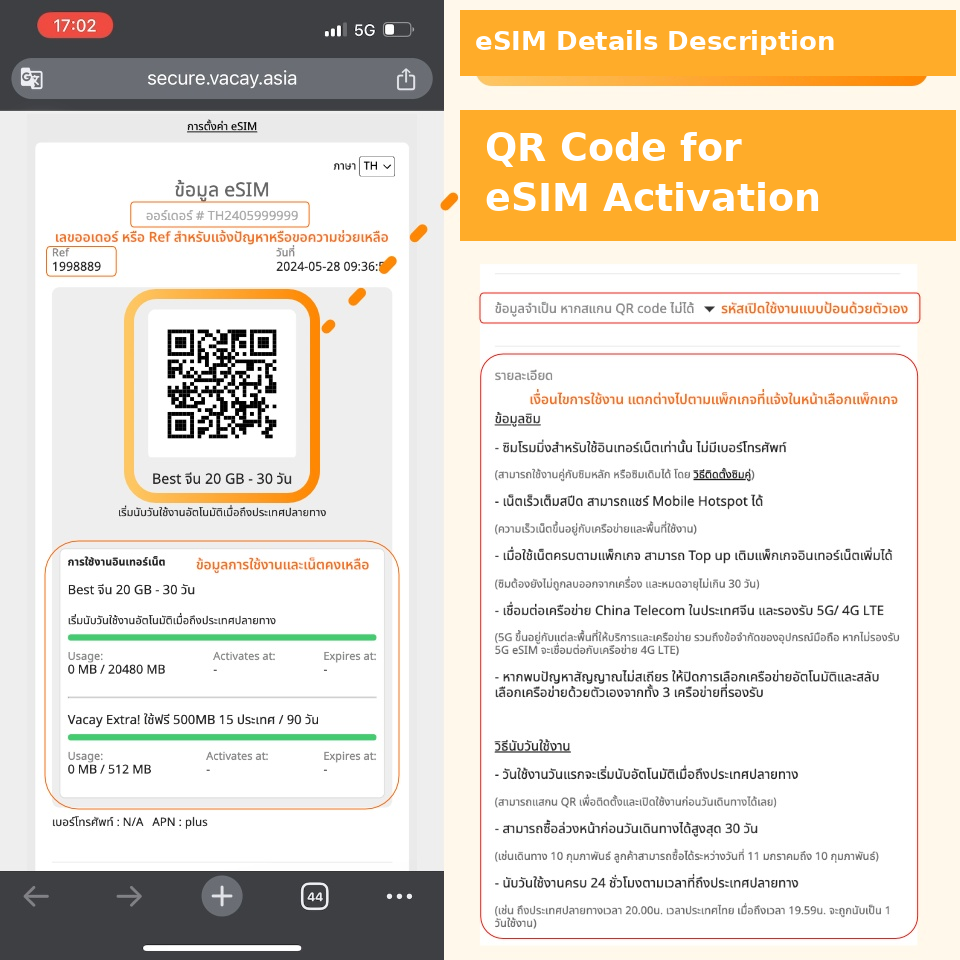
eSIM Details Page
Descriptions and details found on the eSIM Details page are as follows:
- Order Number # TH000000000: Used for reporting issues or requesting support.
- ref XXXXXXXX: SIM sequence number to identify individual SIMs when multiple are purchased together.
- SIM purchase date.
- QR Code for eSIM activation.
- Package name, data volume, and number of days.
- Remarks/notes specific to each package, which may display day-counting methods and activation instructions tailored to that package.
- Internet Usage: Displays all packages sequentially (main package, bonus data package, top-up package) included in that SIM (if applicable), showing used volume (Usage), activation date (Activates at), and expiration date (Expires at).
- Phone number (for certain packages) / APN to enter in device settings if internet access fails / PIN/PUK codes for device-restricted SIMs.
- Essential information if you cannot scan the QR Code > Displays a manual activation code when expanded.
- Details > SIM data, day-counting rules, and terms of use for each specific package as outlined in Step 5 before purchase.
**Please read the terms of use and instructions thoroughly on every page before purchasing and using.**
