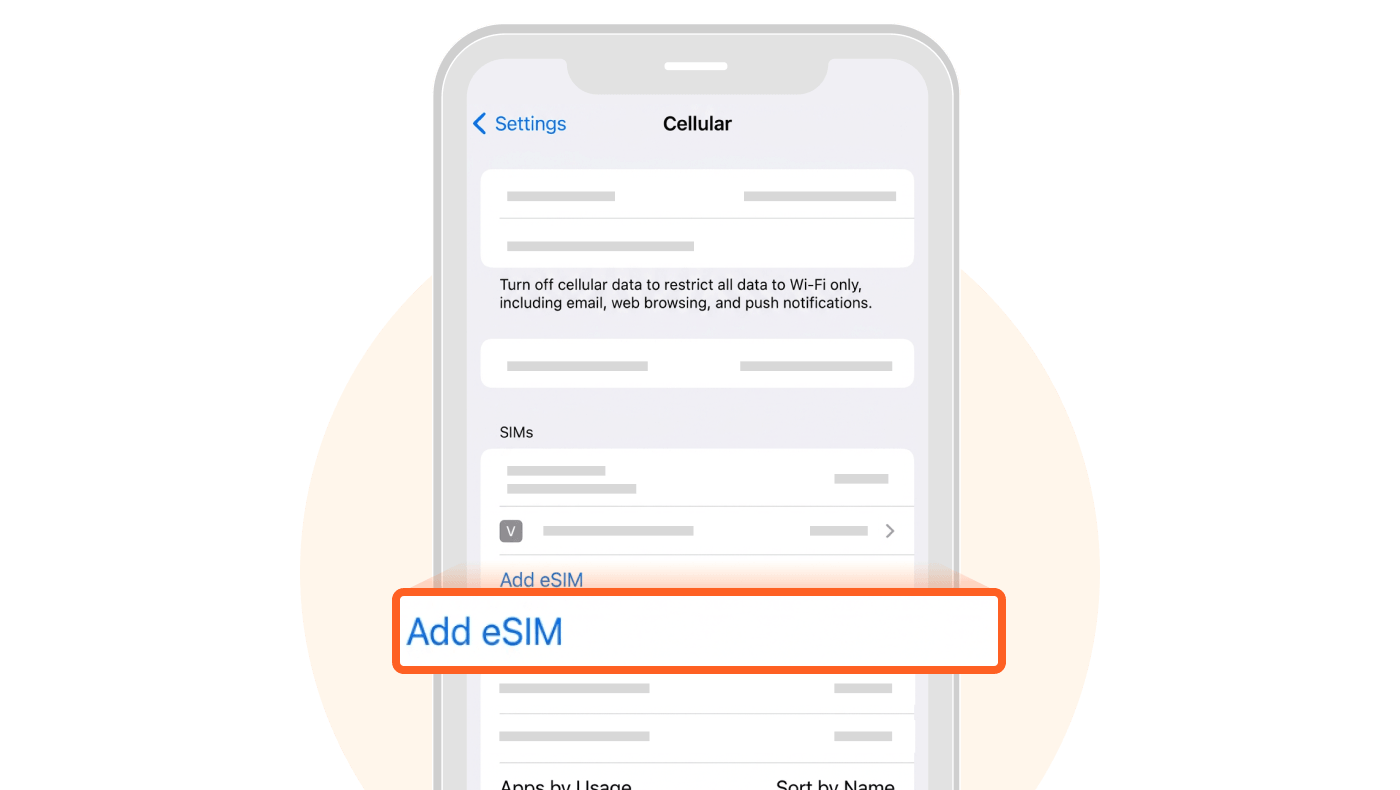
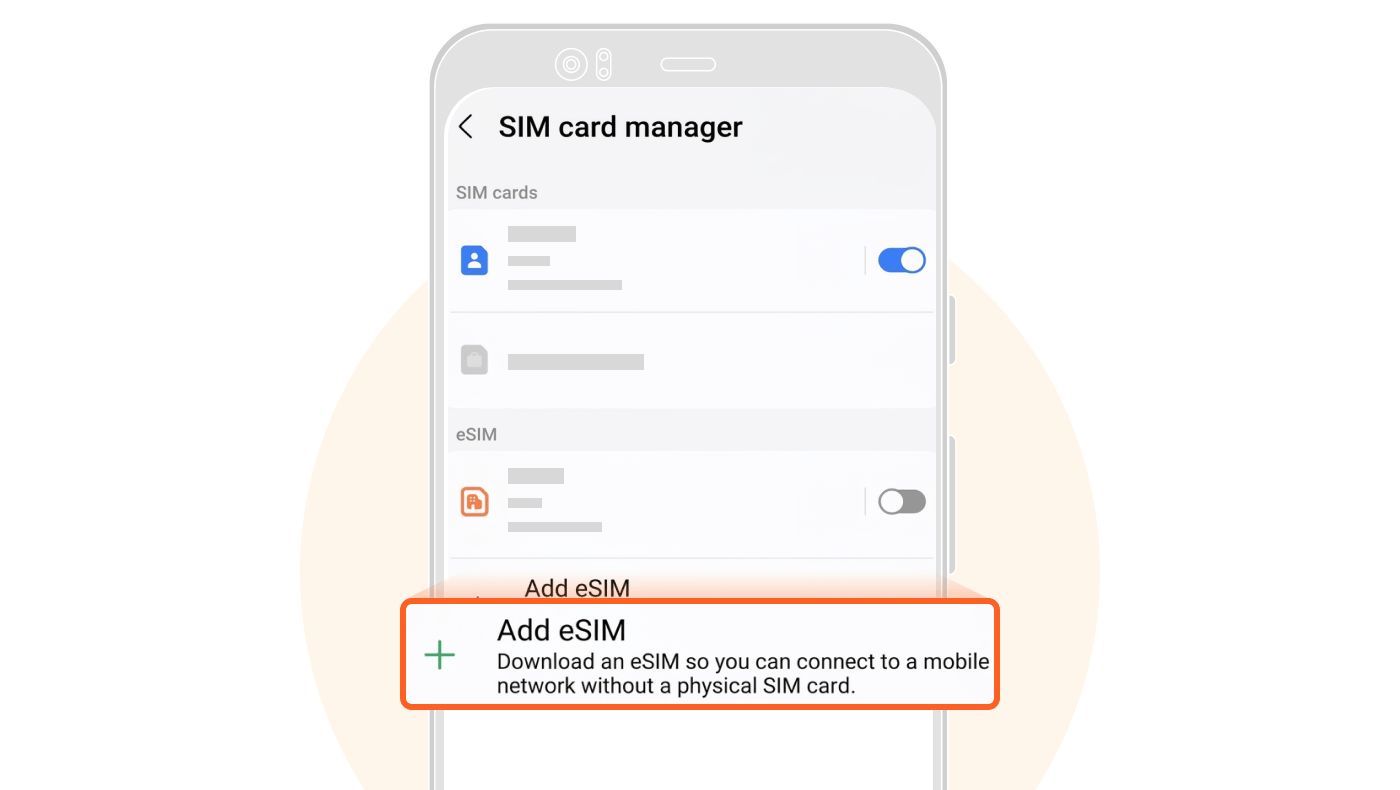
If you see the "Add eSIM" option, your phone supports eSIM.
Go to "Settings"
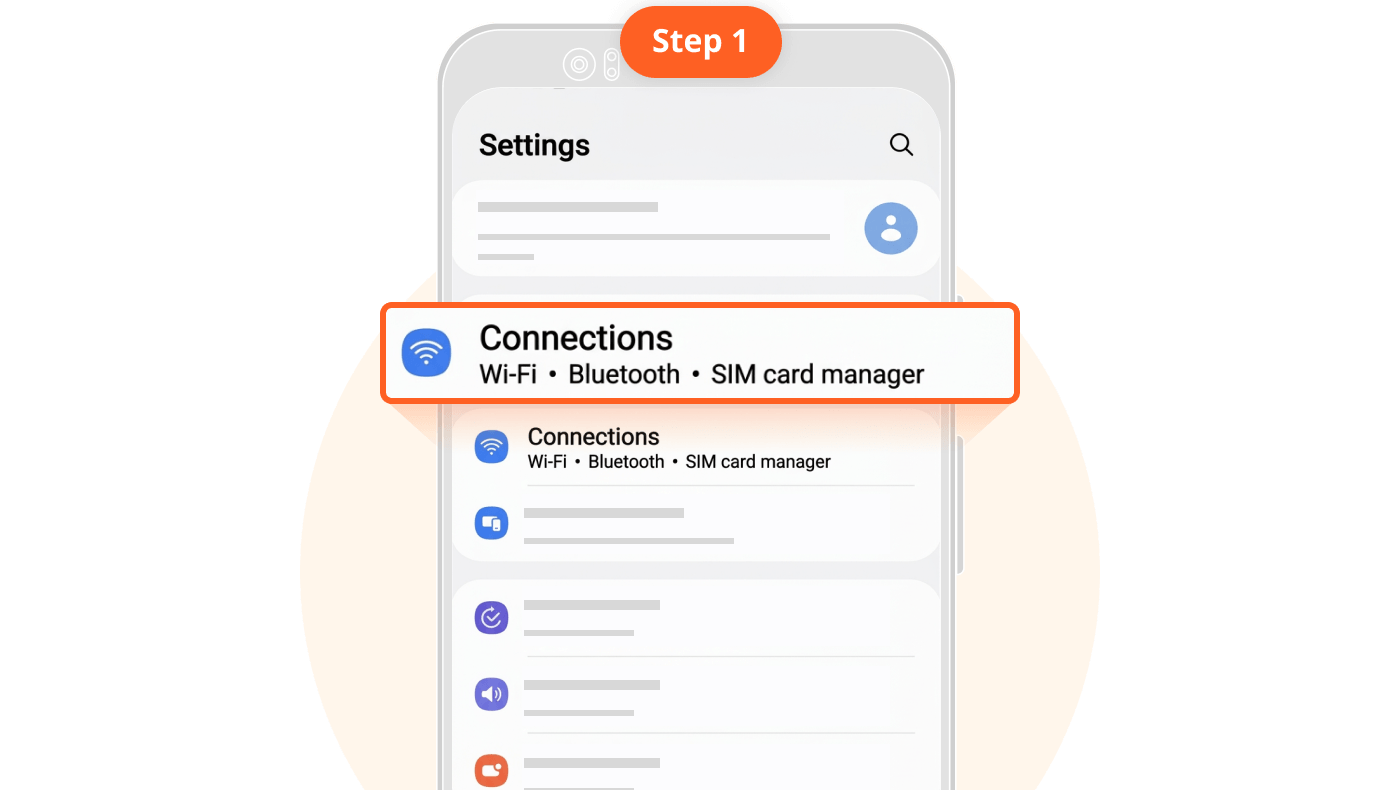
Select "Connections"
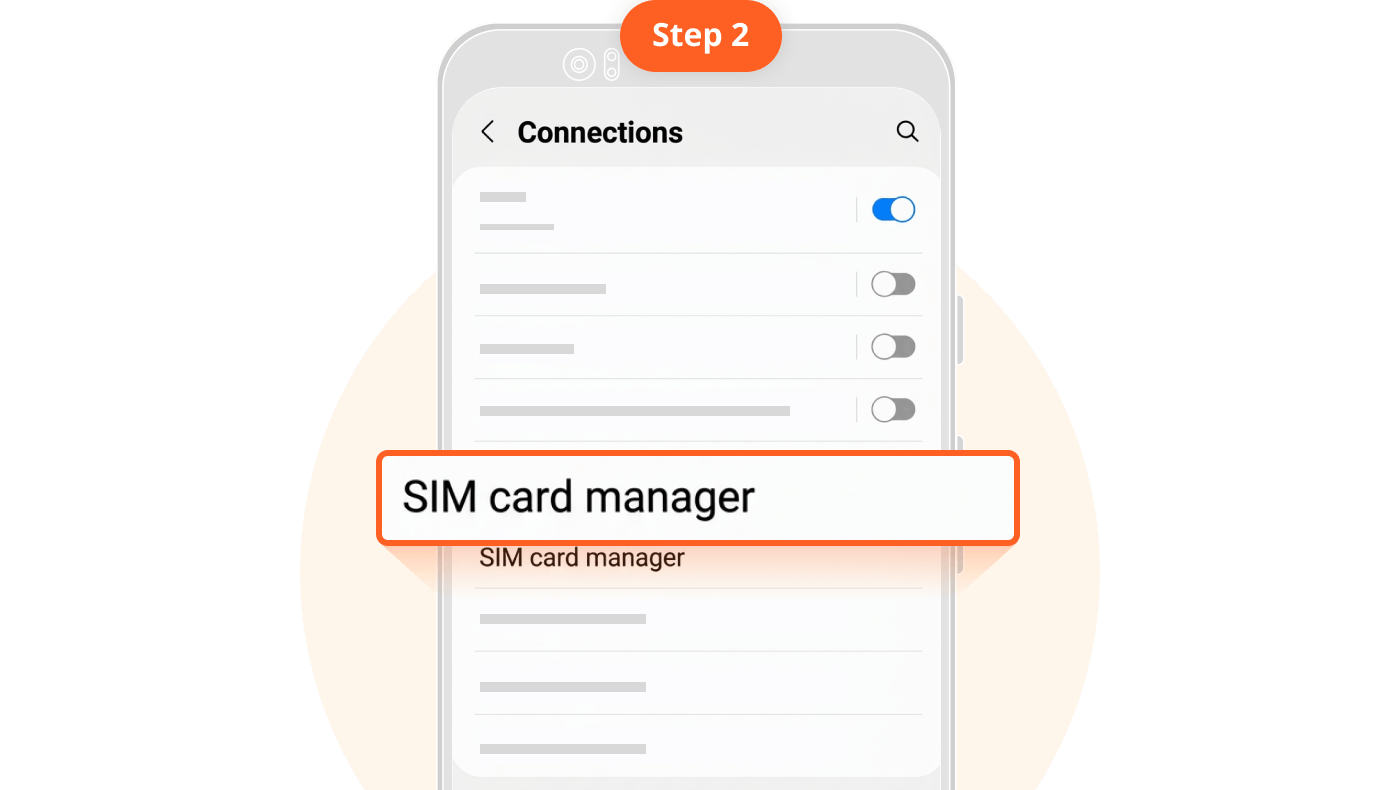
Select "SIM Manager" (this may vary by device model)
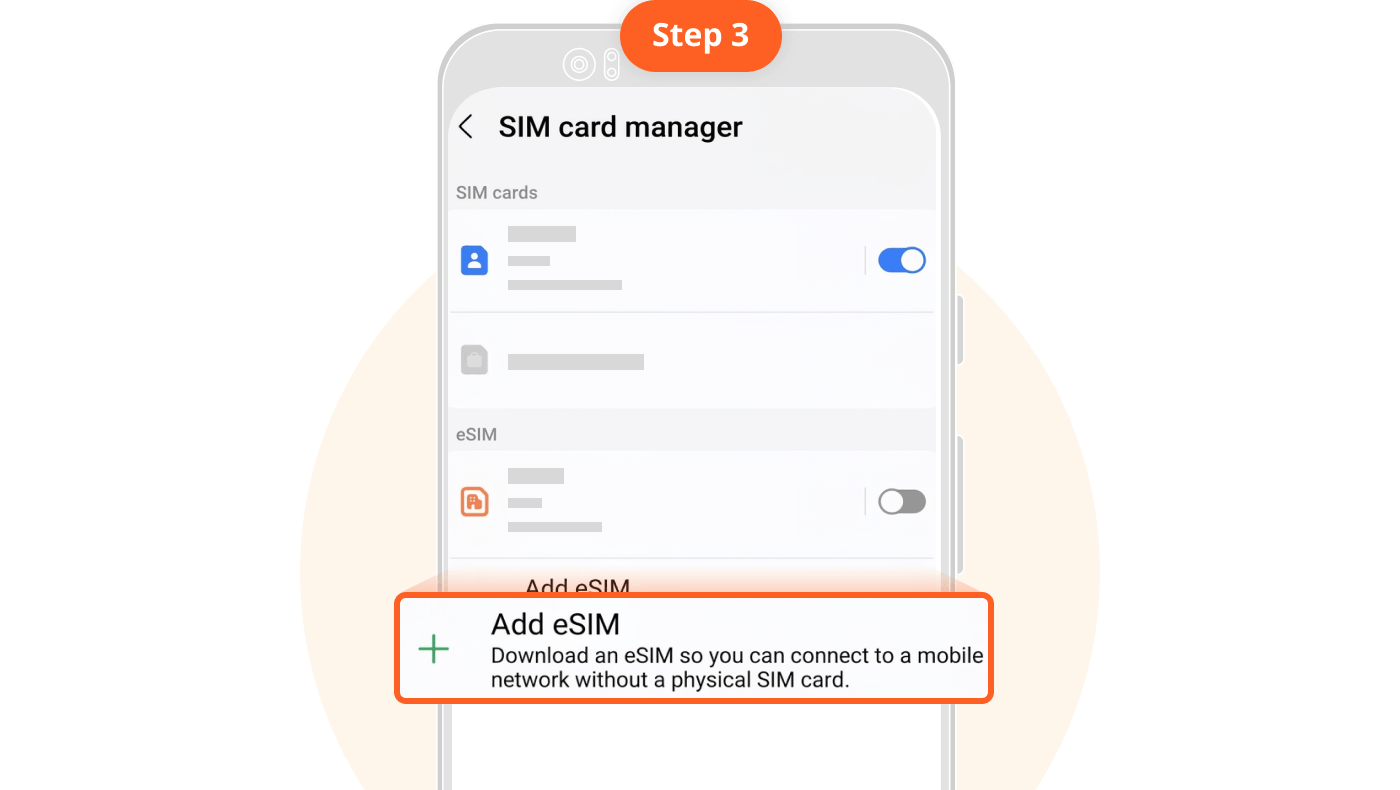
If you see the "Add eSIM" button, your phone supports eSIM.
Loading data, please wait...
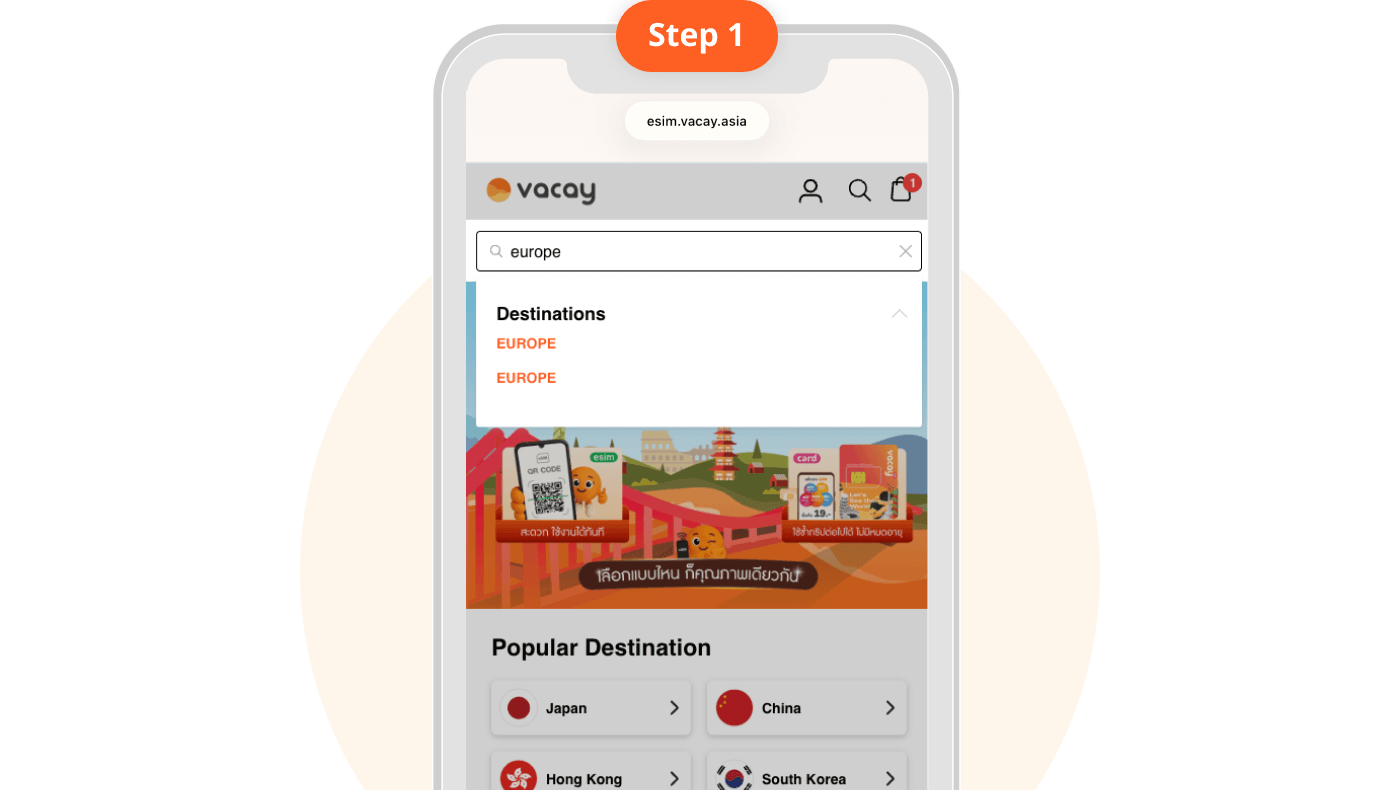
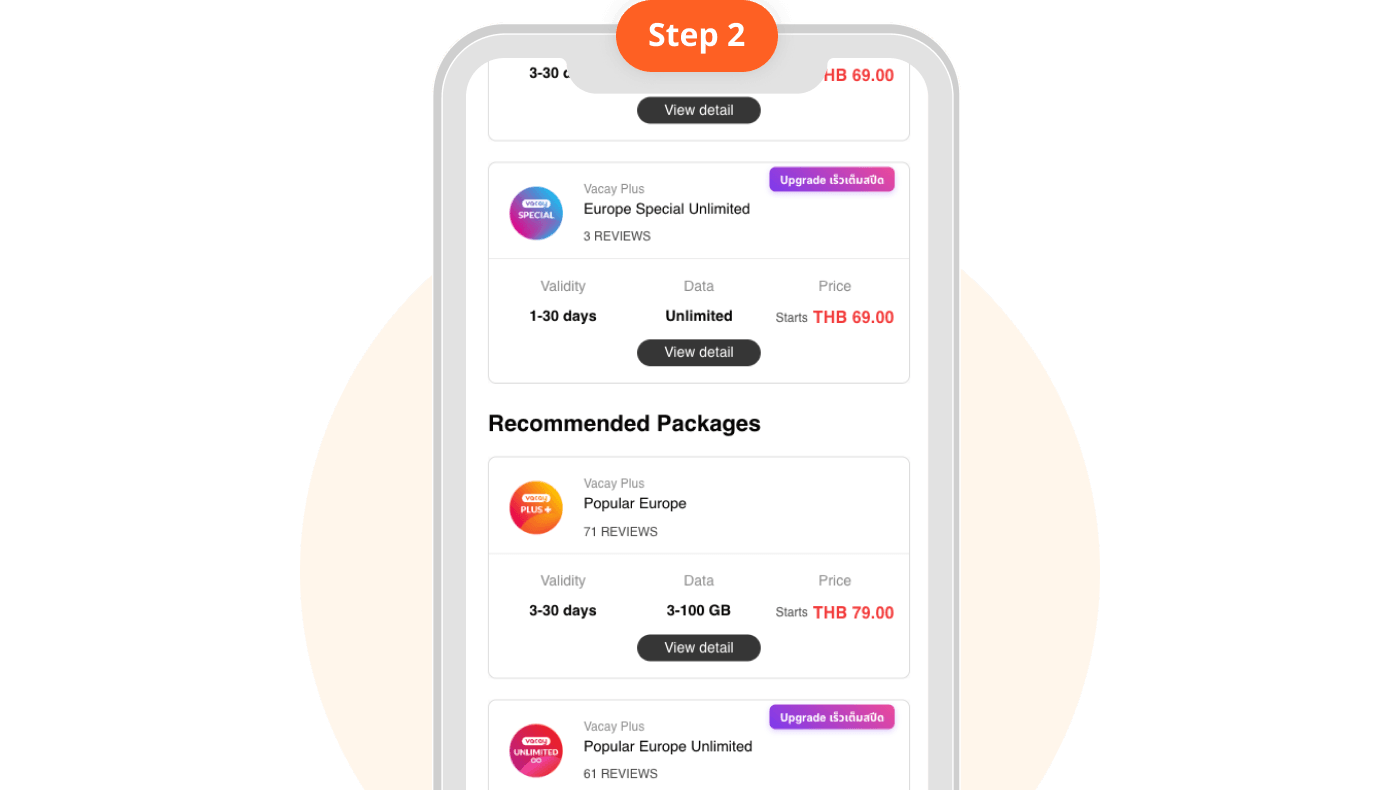
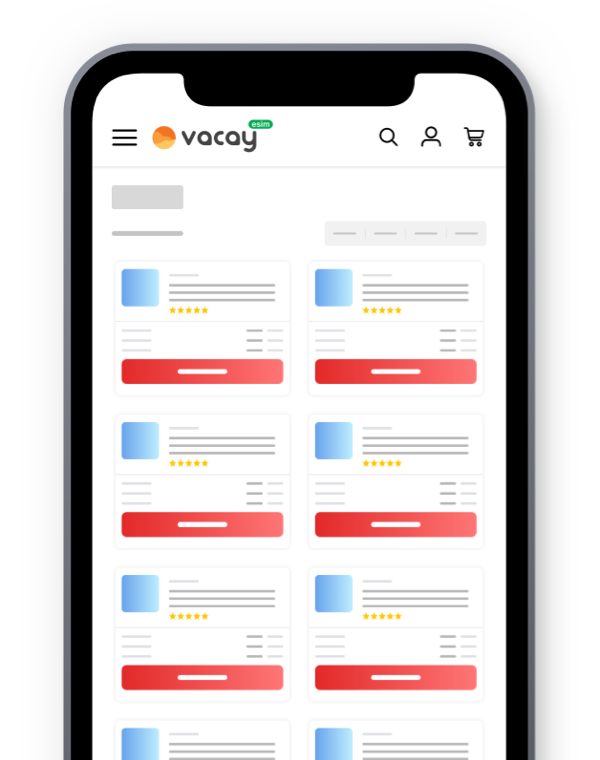
Search for your destination country
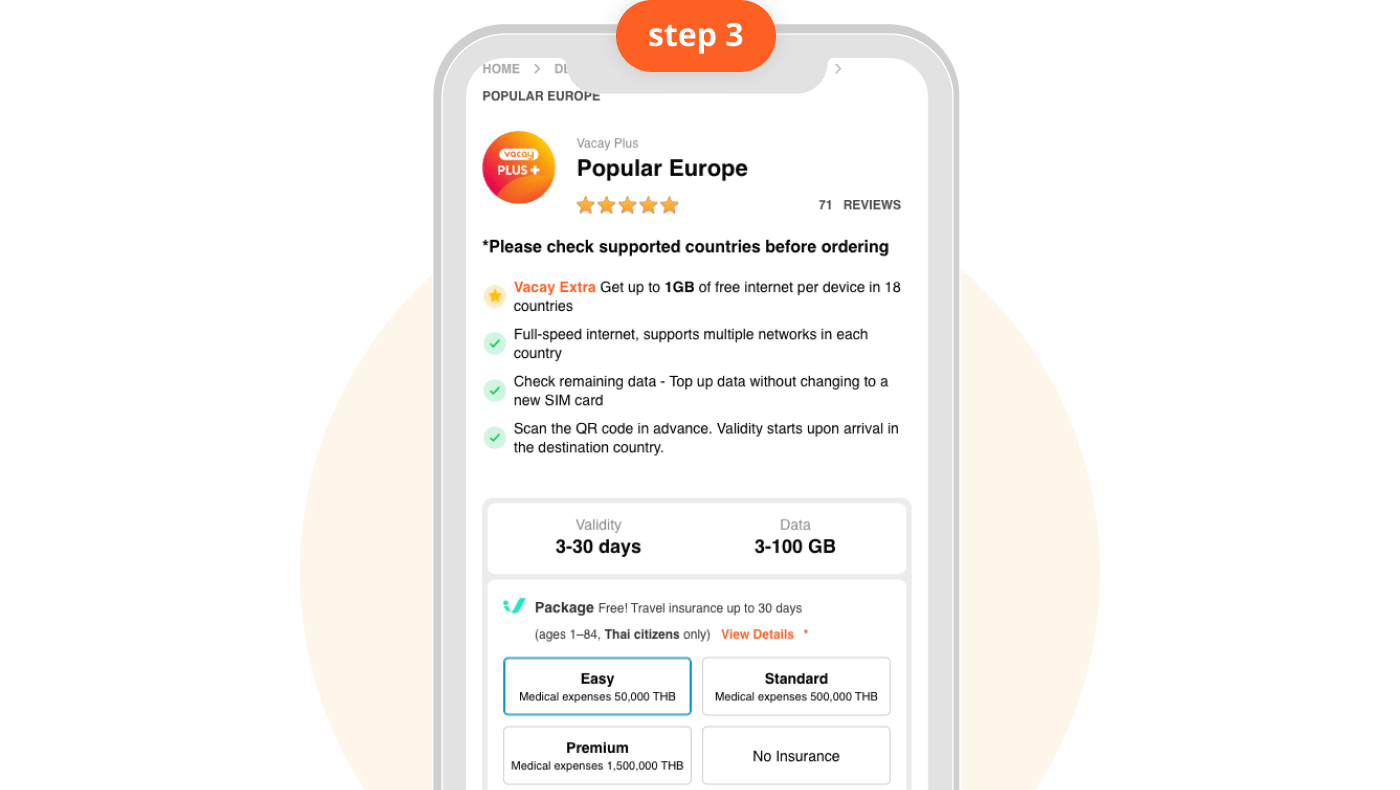
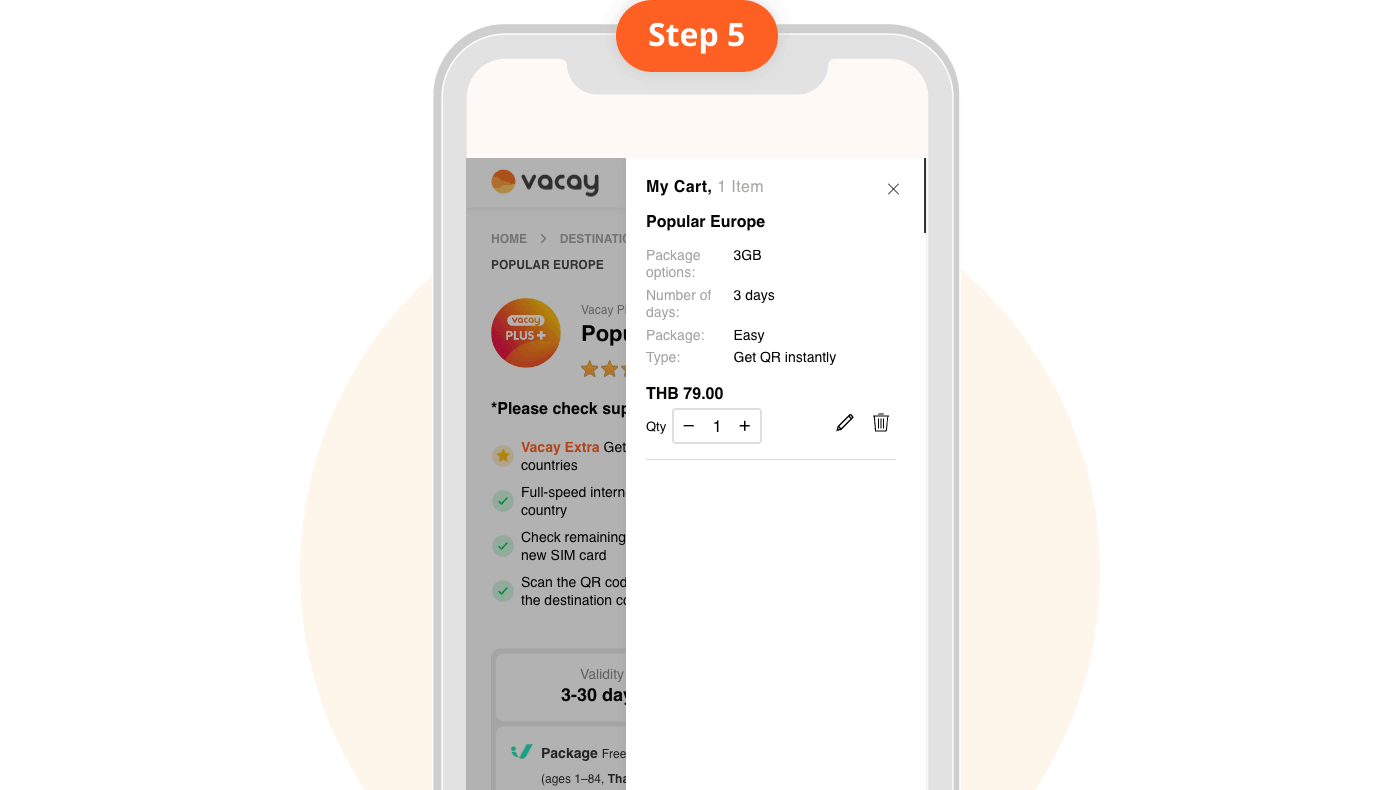
Select a package
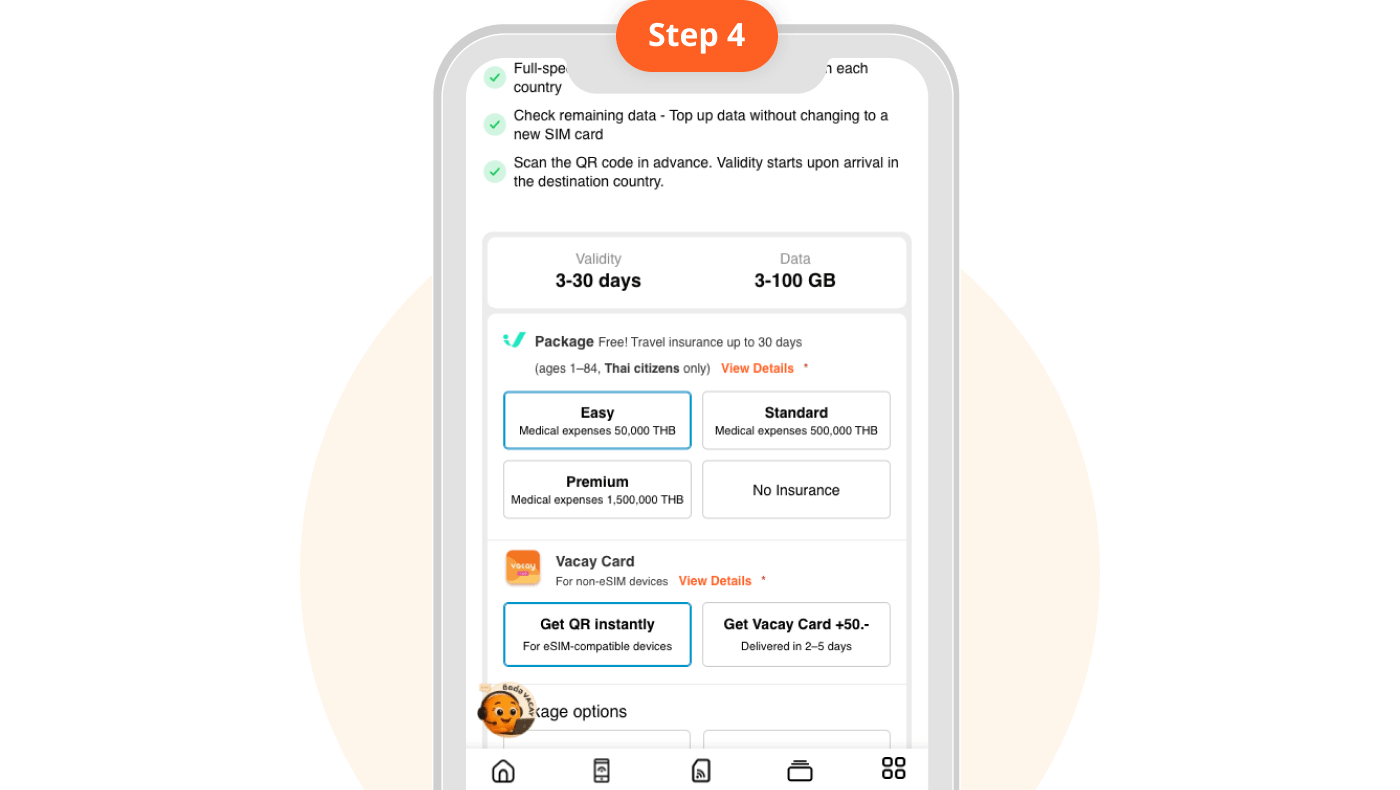
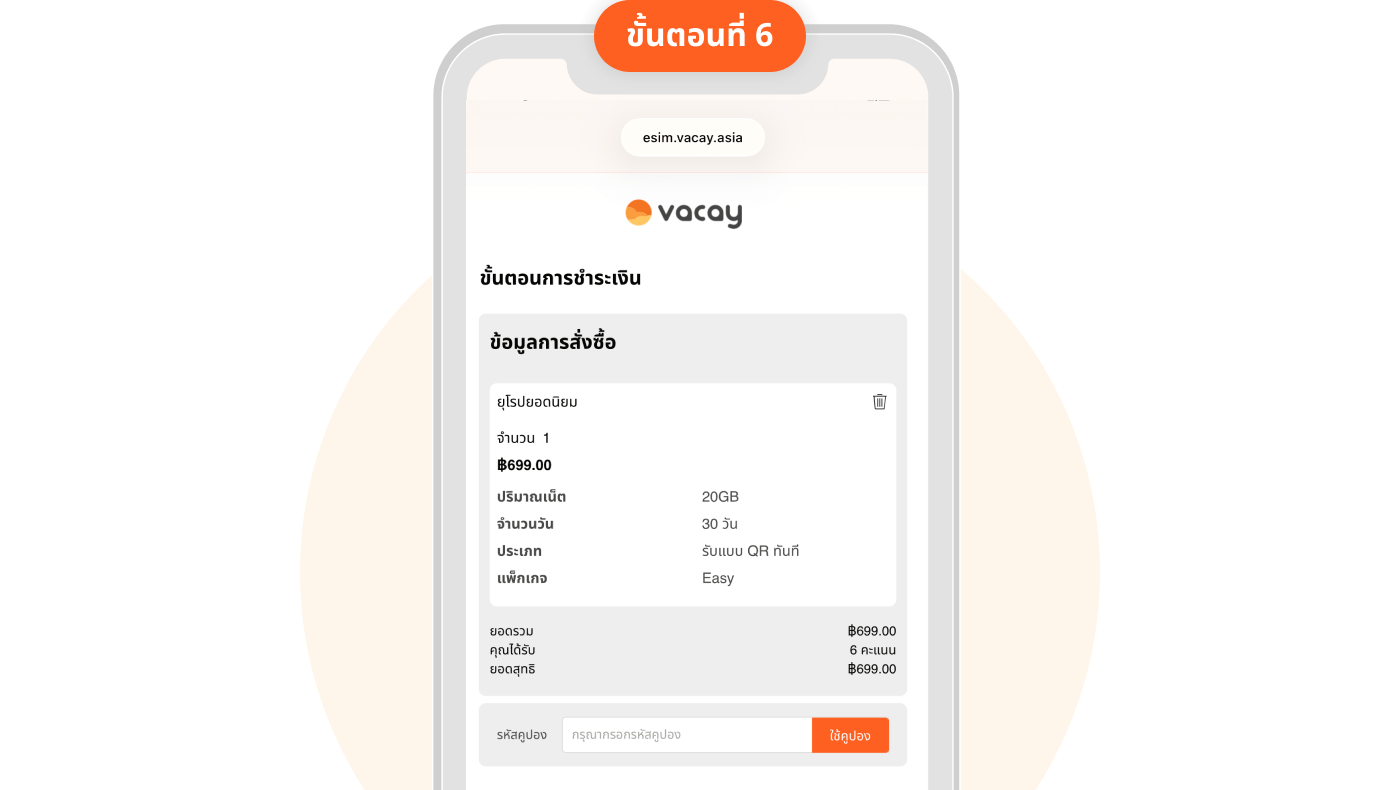
Review package details and select travel insurance
Receive QR Instantly for eSIM-compatible phones Receive Vacay Card for non-compatible phones
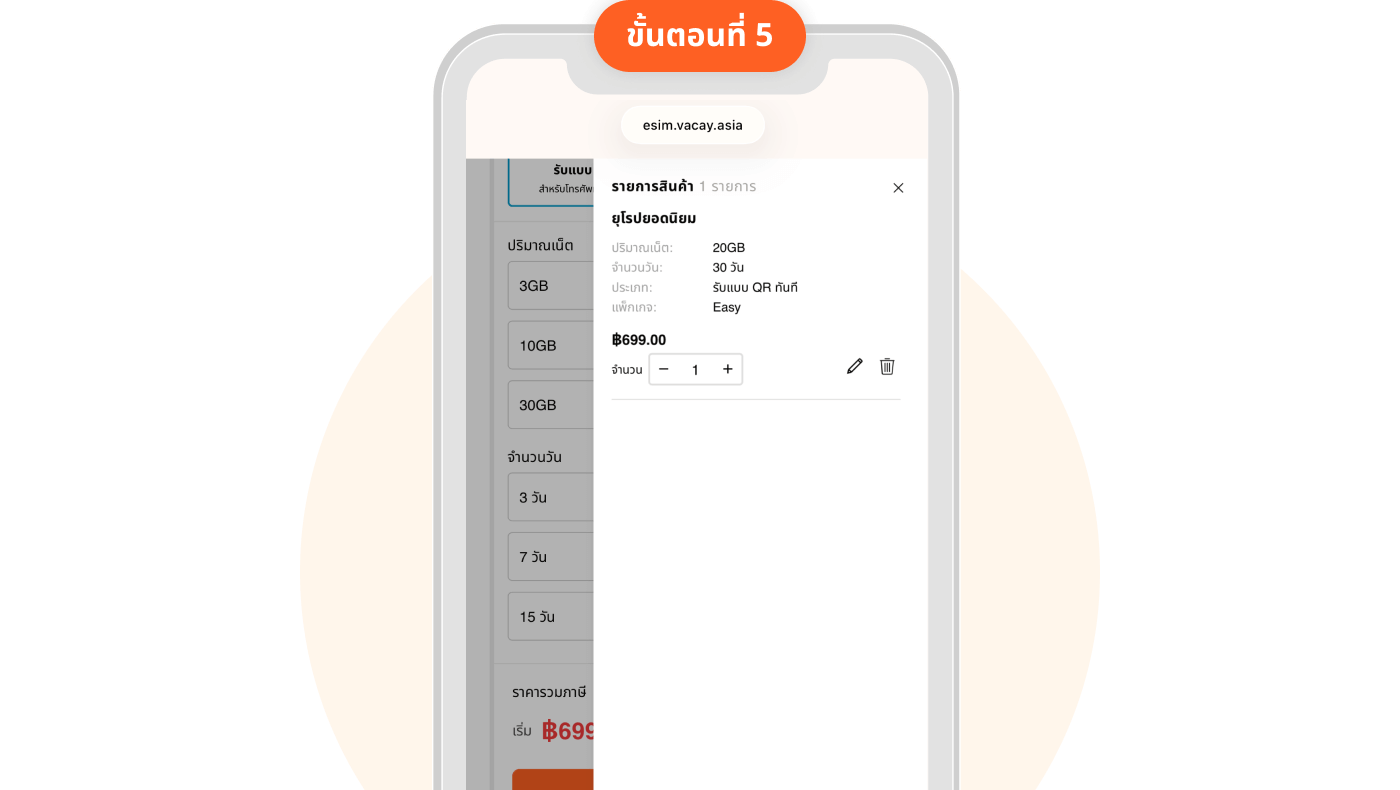
and choose your desired data amount
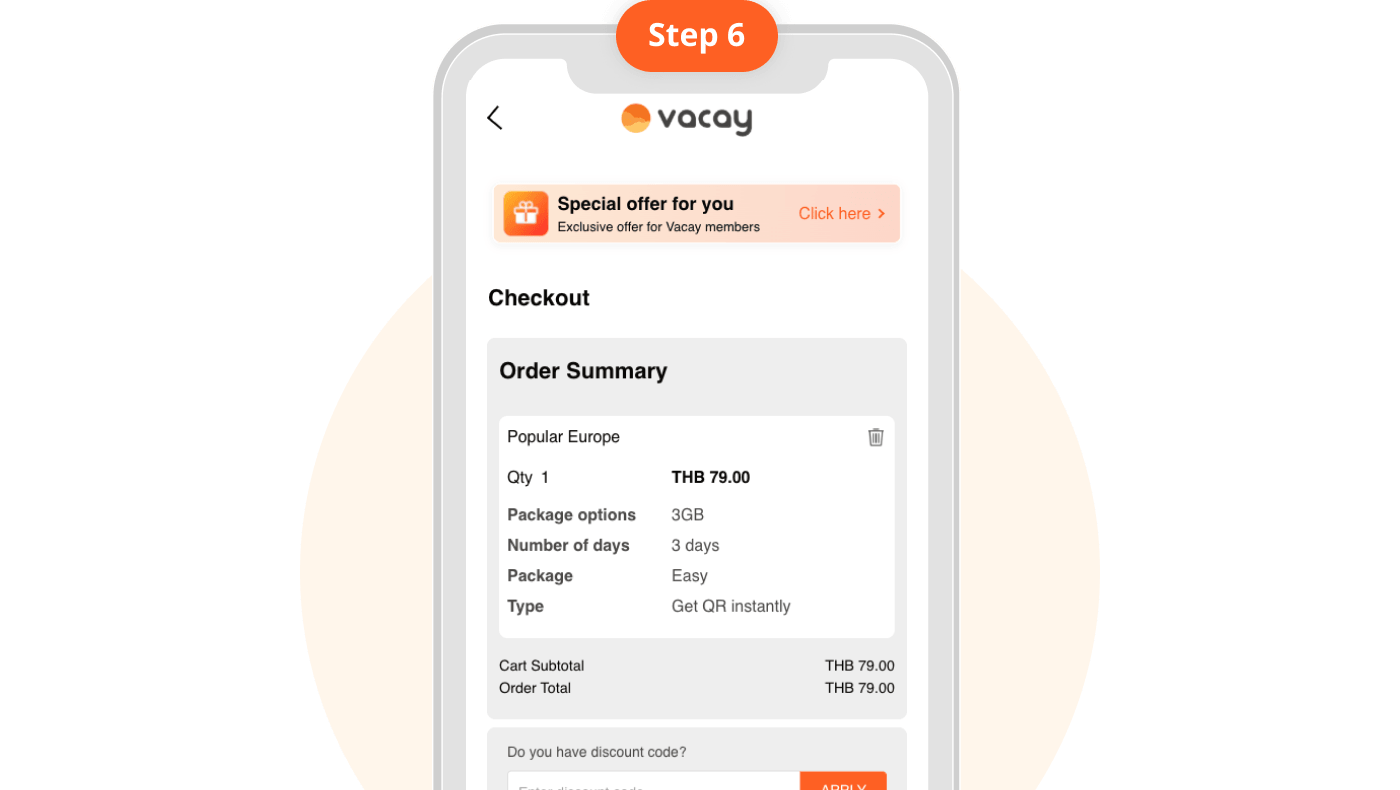
Place Order
Make payment.
Receive QR Instantly in your "My eSIM" page Receive Vacay Card by providing your address (delivery takes 2 - 5 days)
Best Package
Unlimited Package
Basic Package
Daily Package
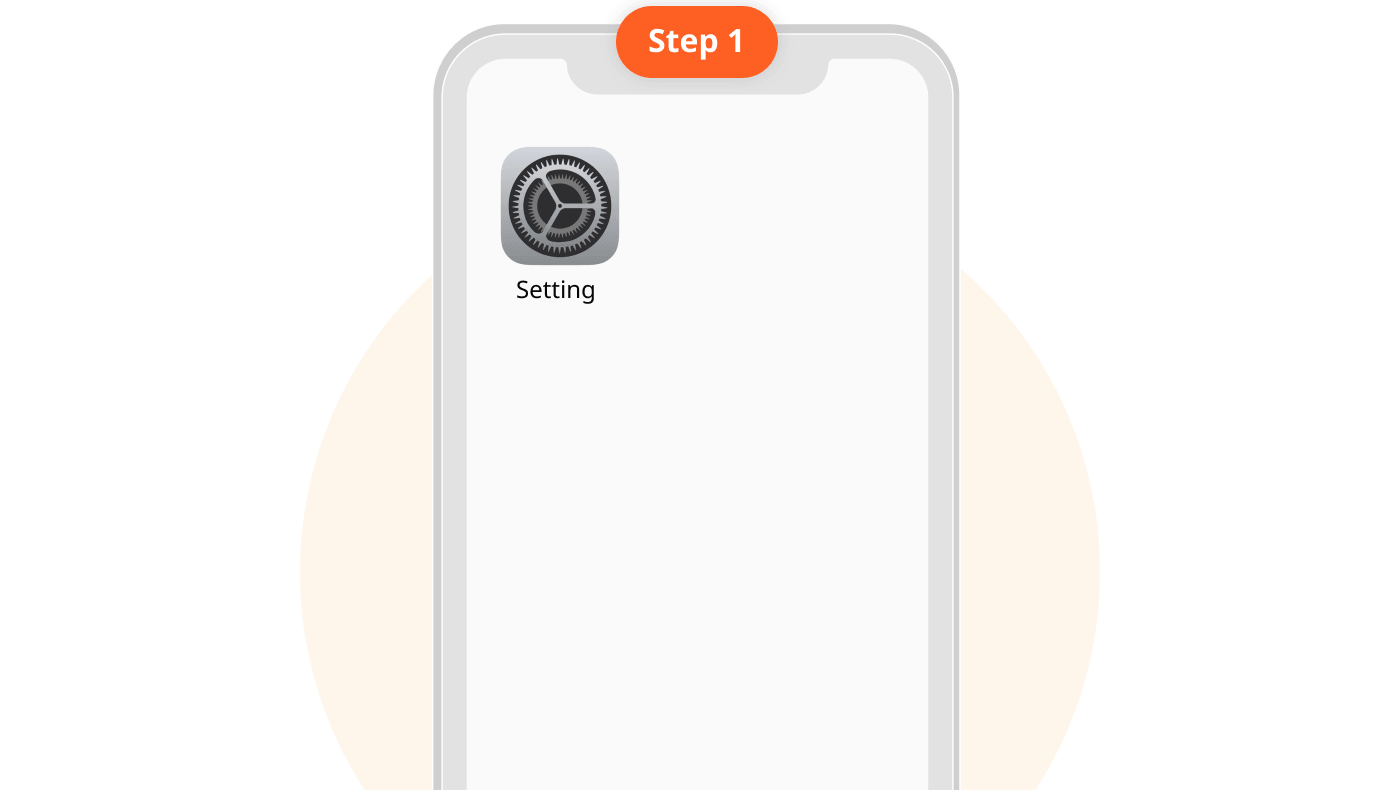
1. Go to "Settings"
Each eSIM QR Code can only be used once.
Validity period countdown may vary. Please check package details.
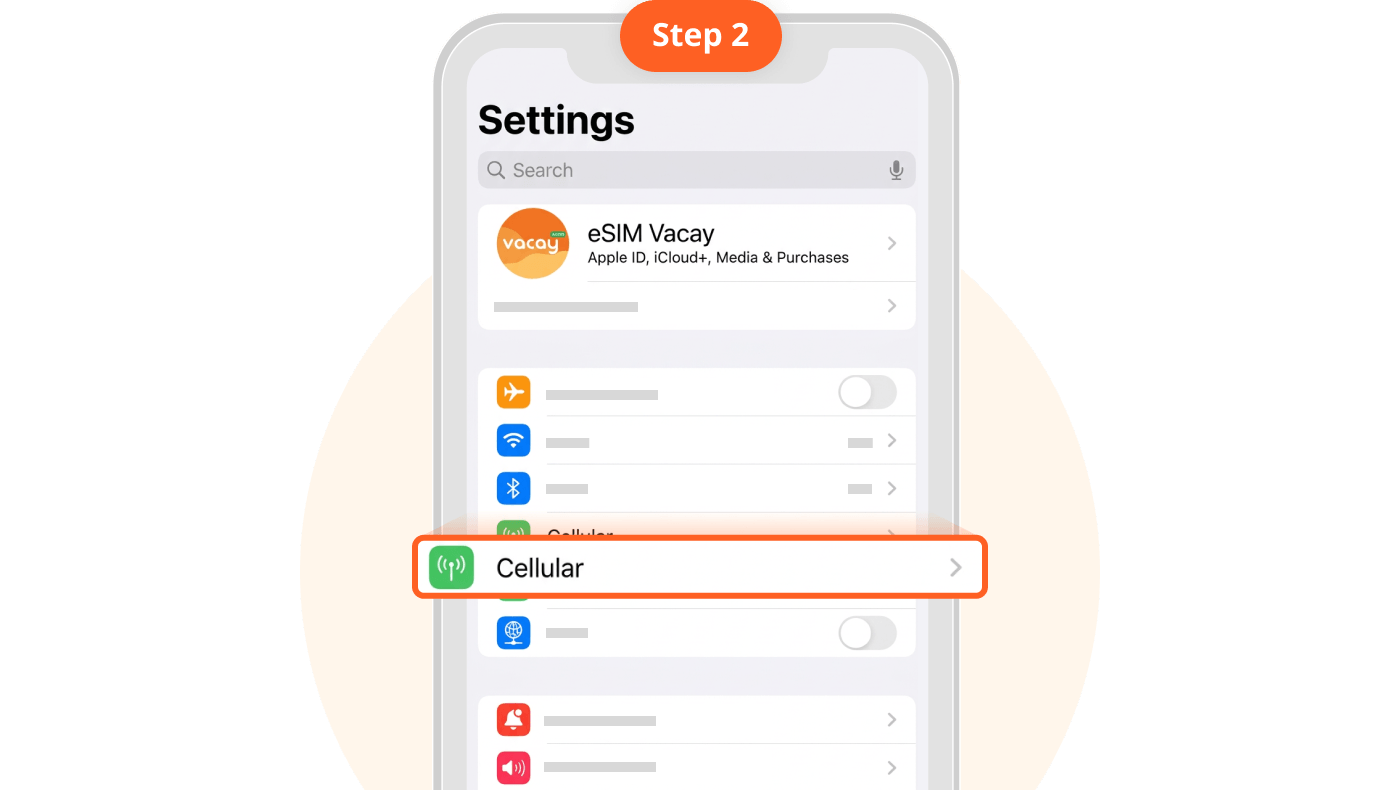
2. Tap "Cellular"
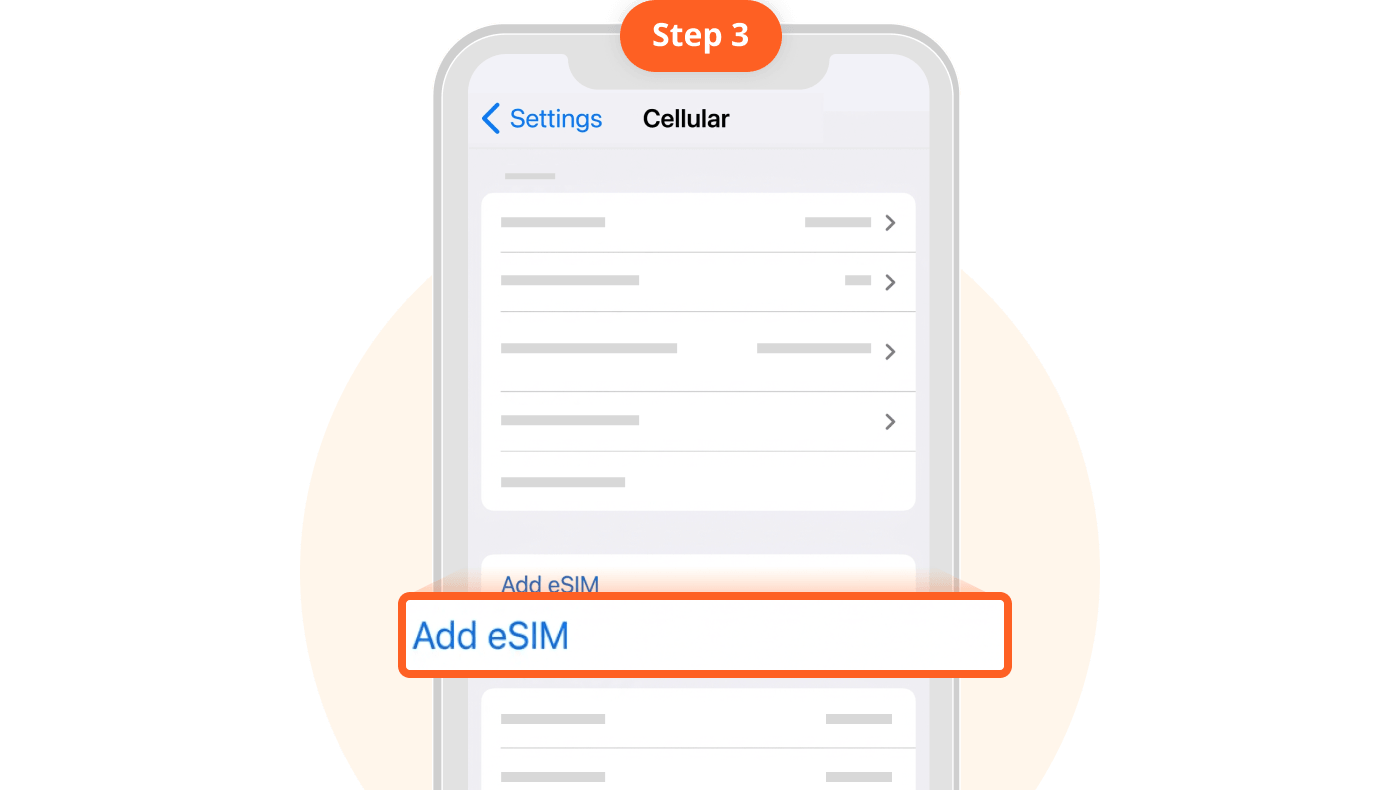
3. Tap "Add eSIM"
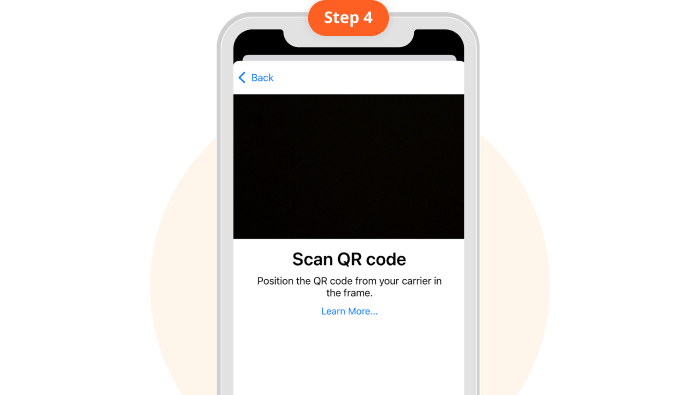
4. Scan QR Cod
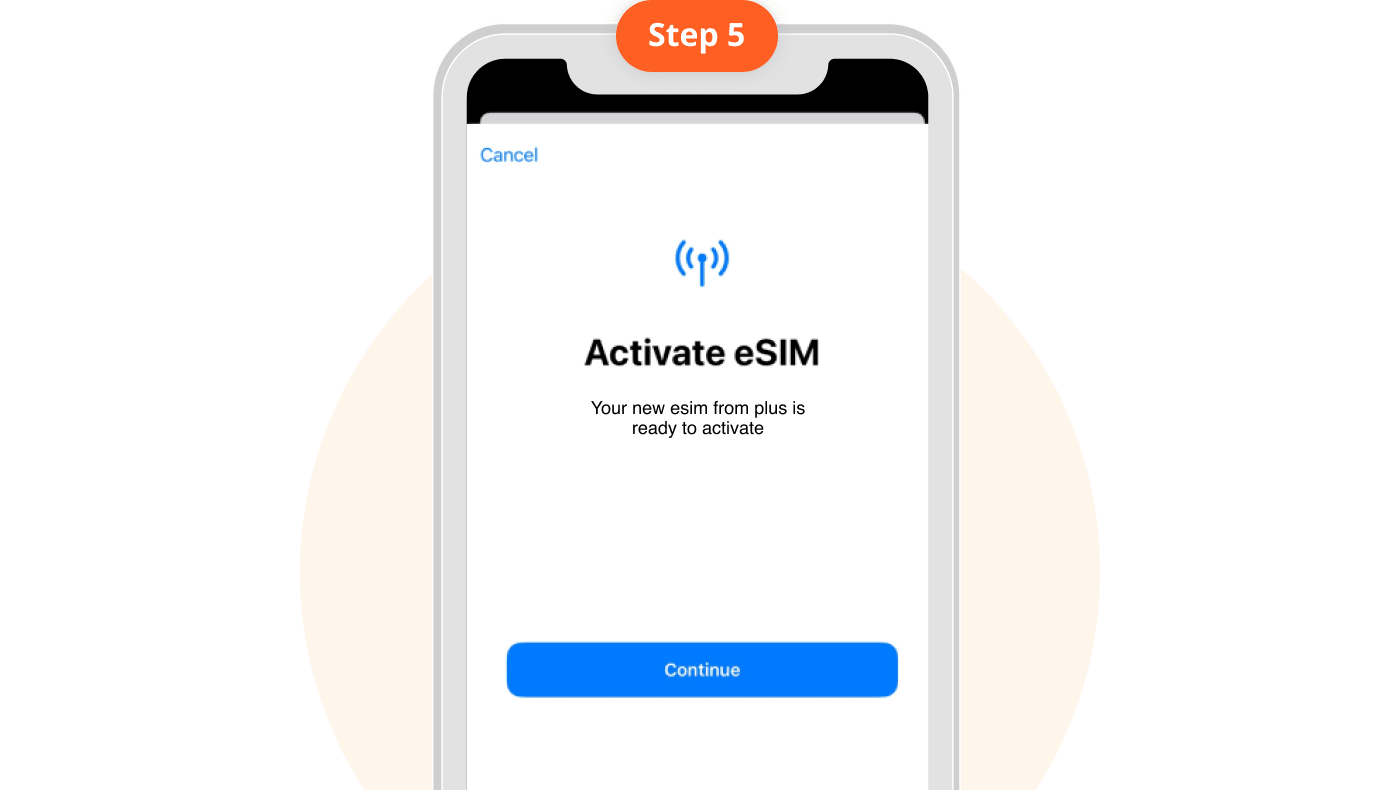
5. Tap "Continue"
5. Label your eSIM, e.g., VacayEU
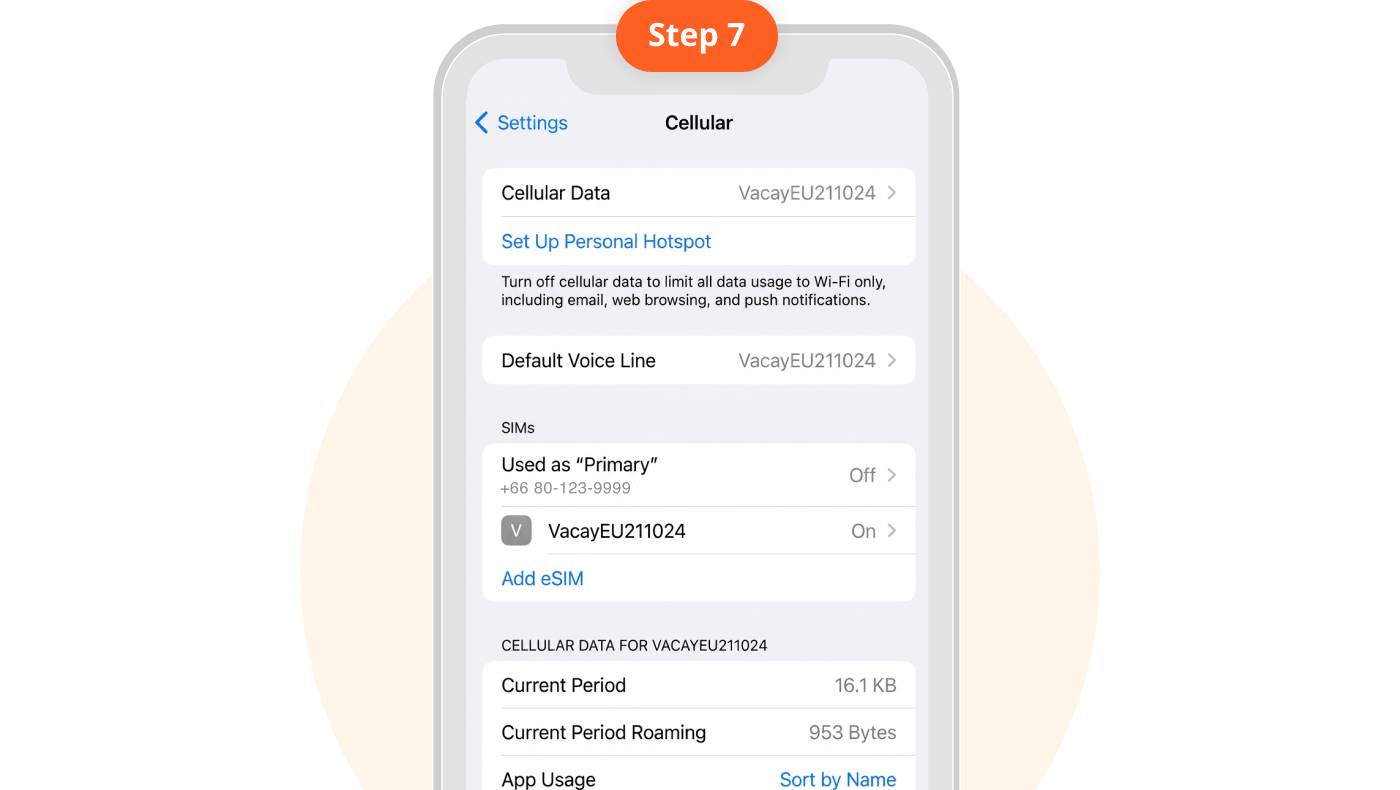
6. Turn off "Primary SIM" and turn on "eSIM Vacay" . Ensure Cellular Data is always set to your newly added eSIM.
7. Turn off "Primary SIM" and turn on "eSIM Vacay". Ensure Cellular Data is always set to your newly added eSIM.
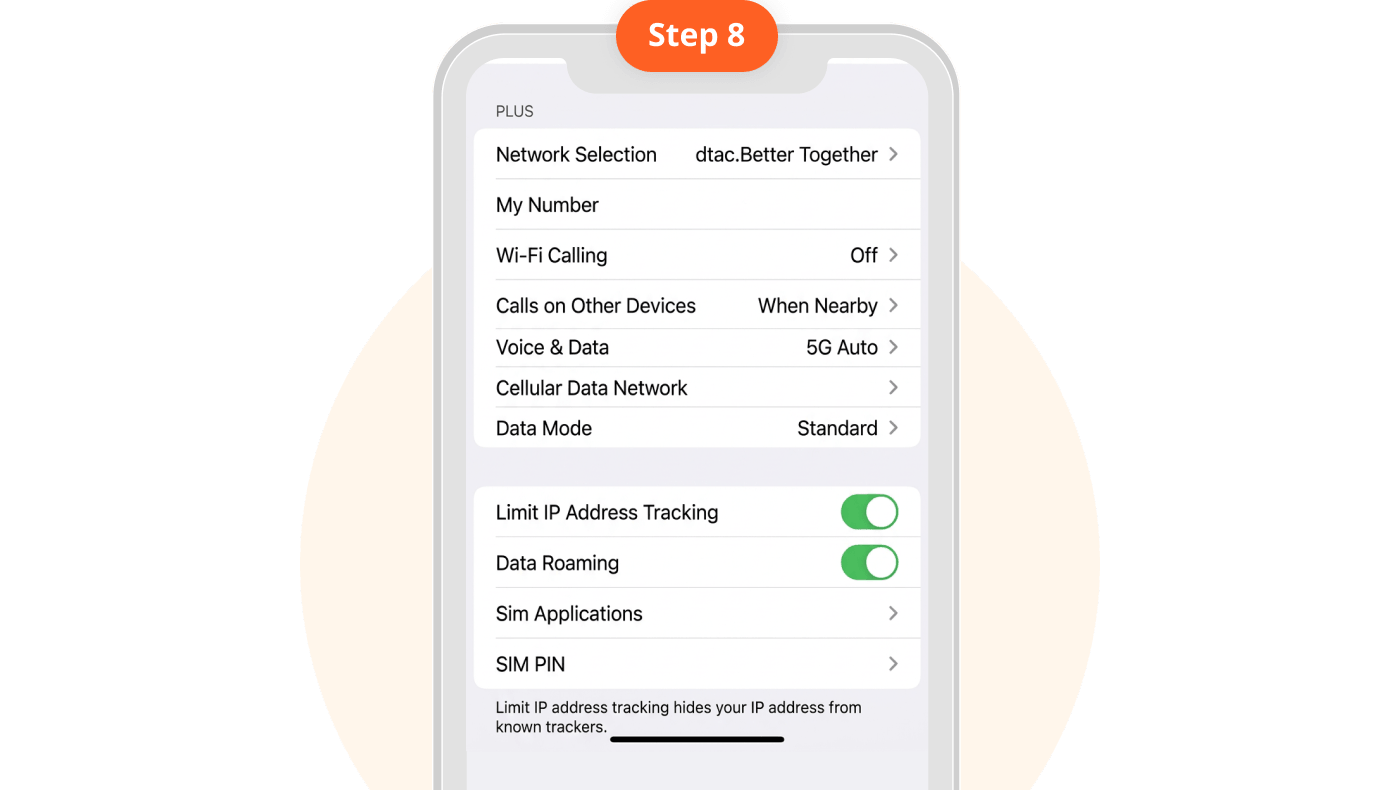
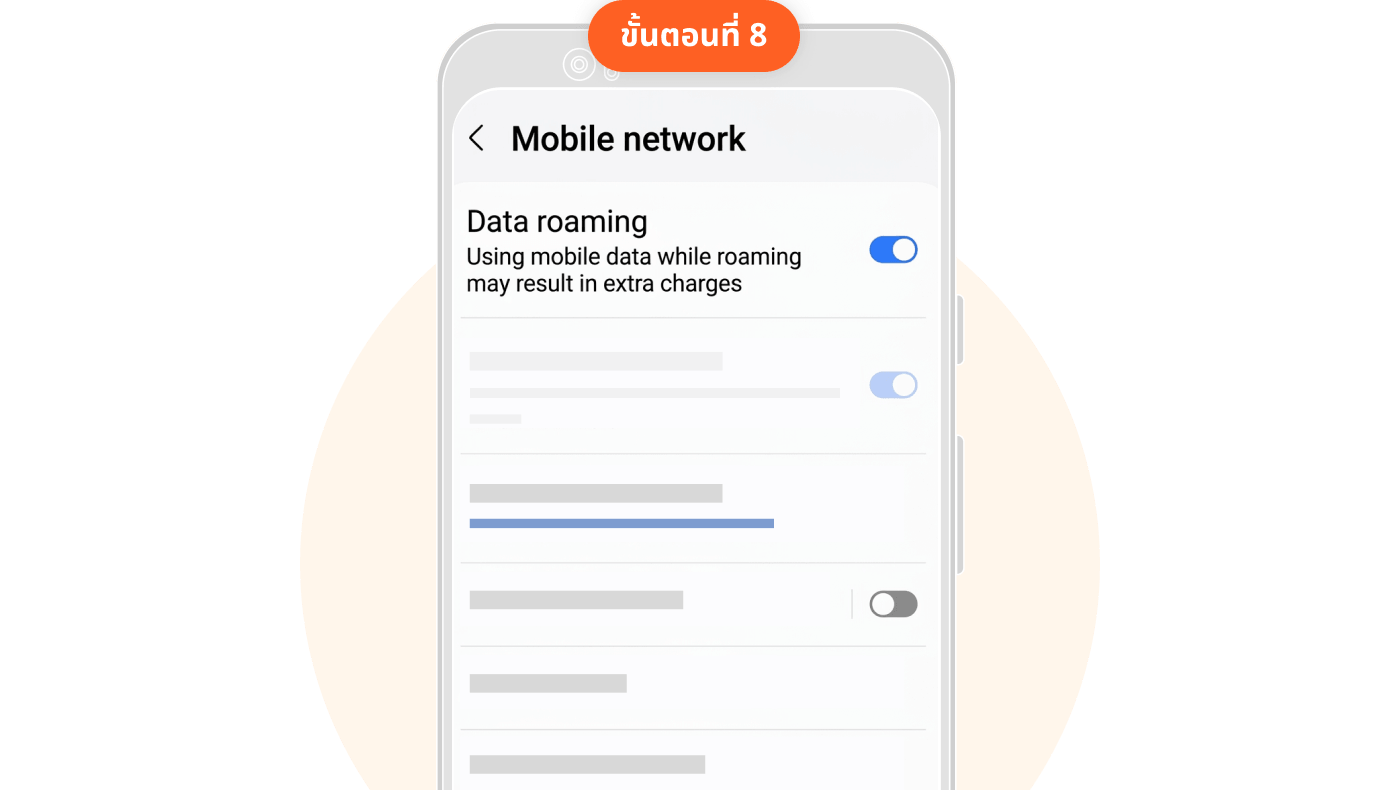
8. Turn on "Data Roaming" upon arrival at your destination country.
1. Go to "Settings" and select "Connections"
Each eSIM QR Code can only be used once.
Validity period countdown may vary. Please check package details.
2. Select "SIM Manager"
3. Select "Add eSIM"
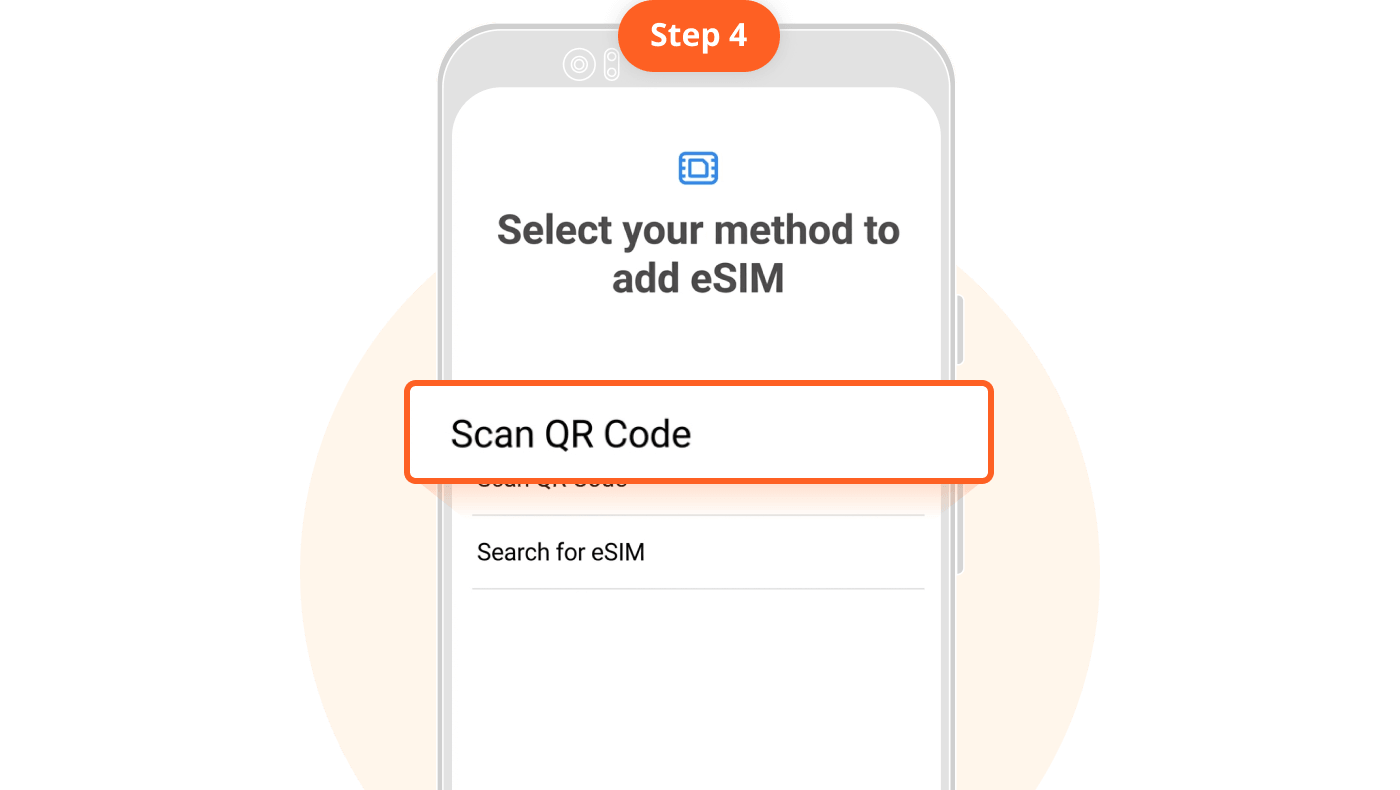
4. Scan QR Code
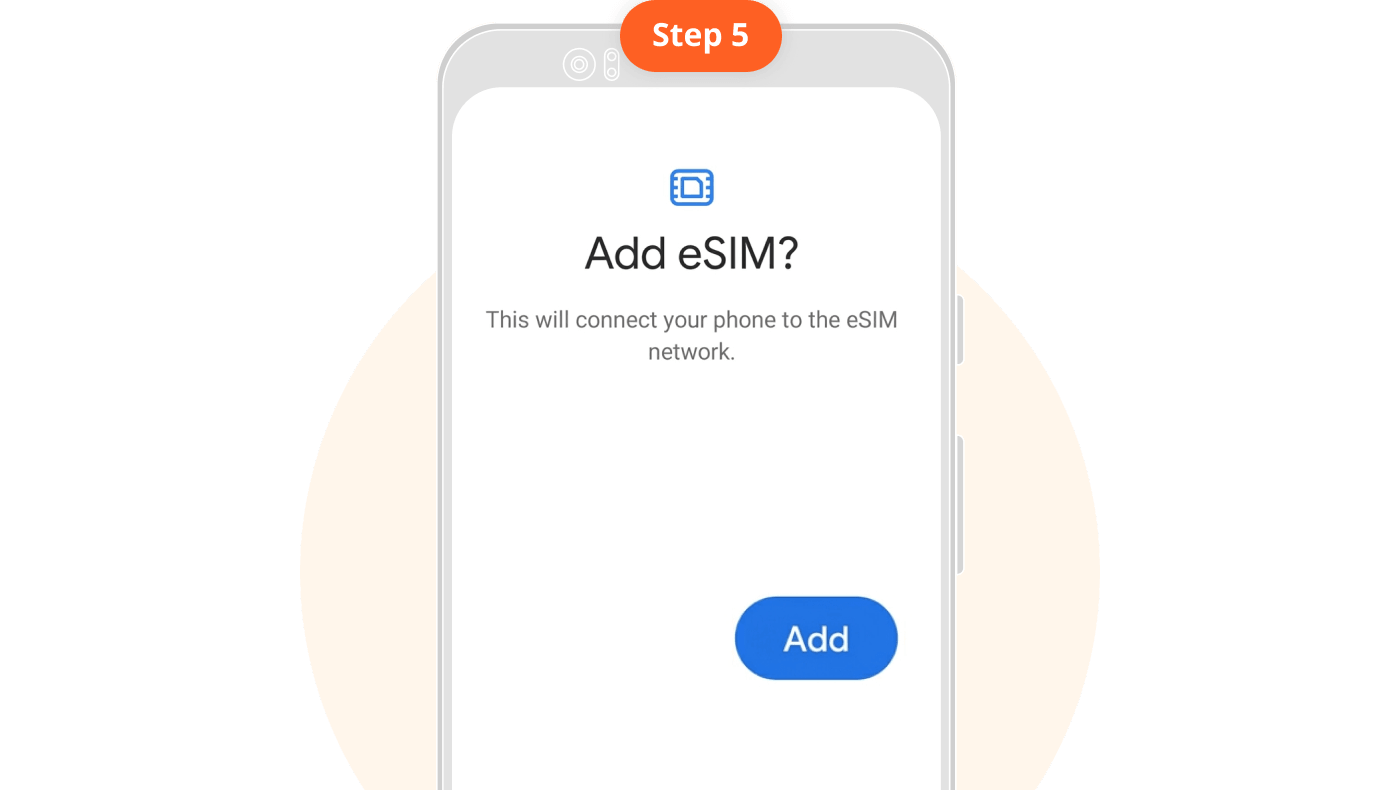
5. Tap "Add"
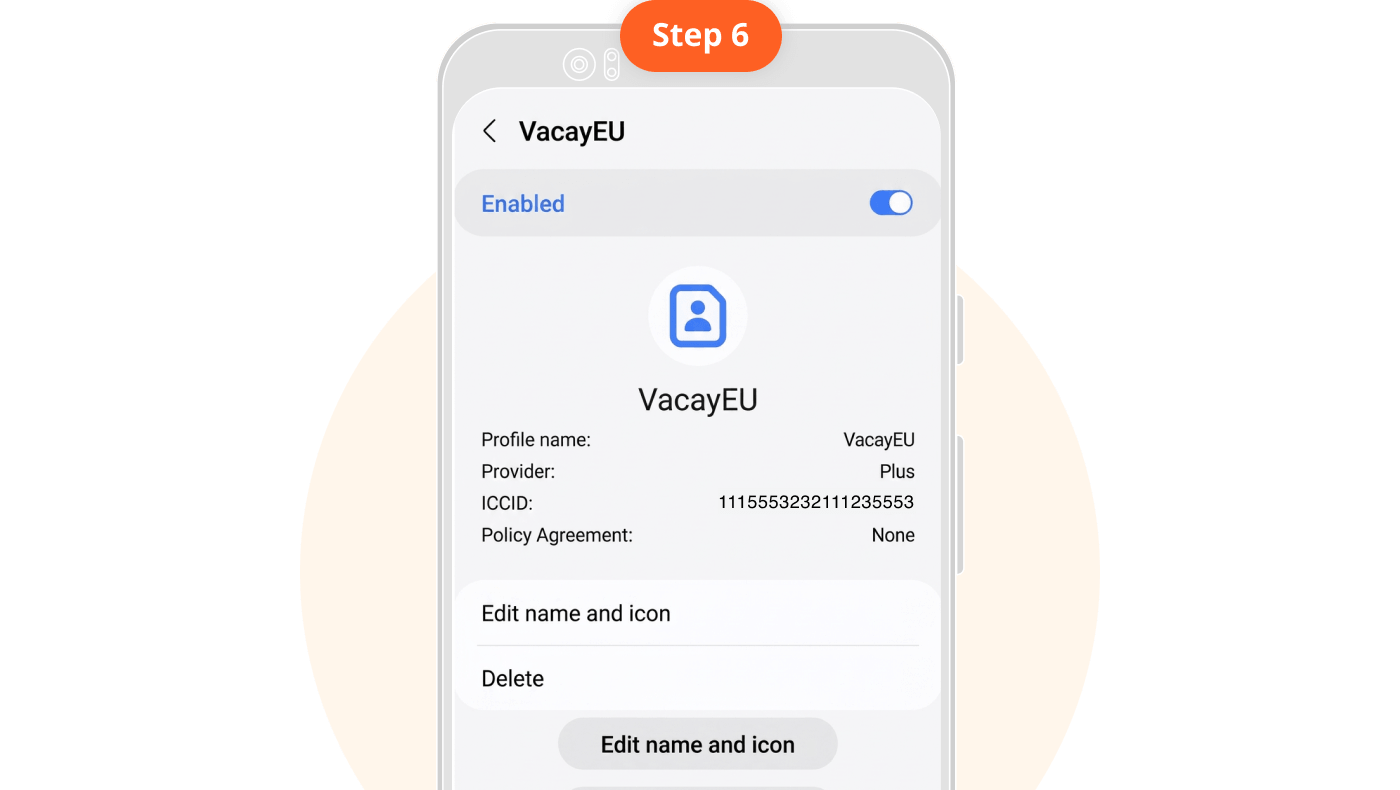
5. Label your eSIM, e.g., VacayEU
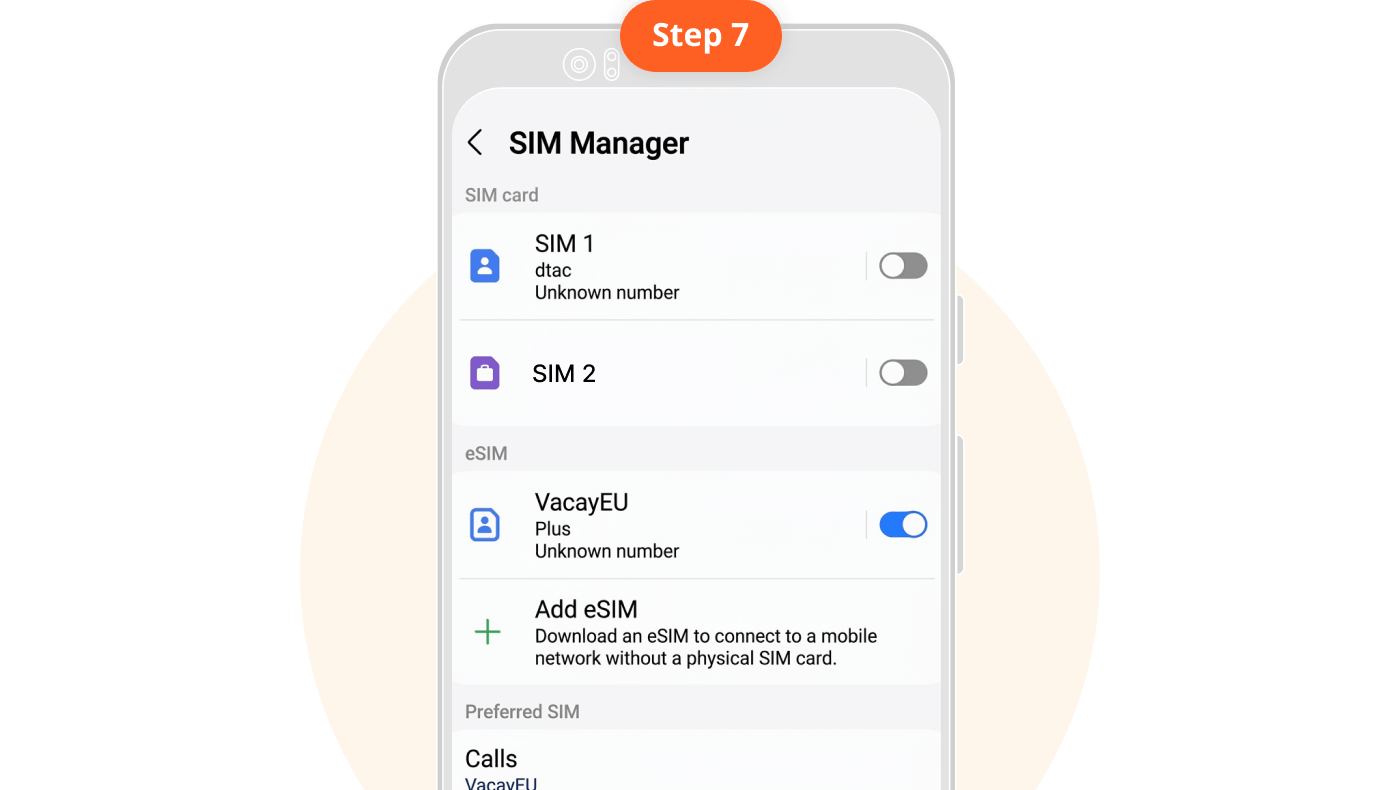
6. Turn off "Primary SIM" and turn on "Vacay eSIM". Ensure Mobile Data is always set to your newly added eSIM.
7. Turn off "Primary SIM" and turn on "Vacay eSIM". Ensure Mobile Data is always set to your newly added eSIM.
8. Turn on "Data Roaming" upon arrival at your destination country.
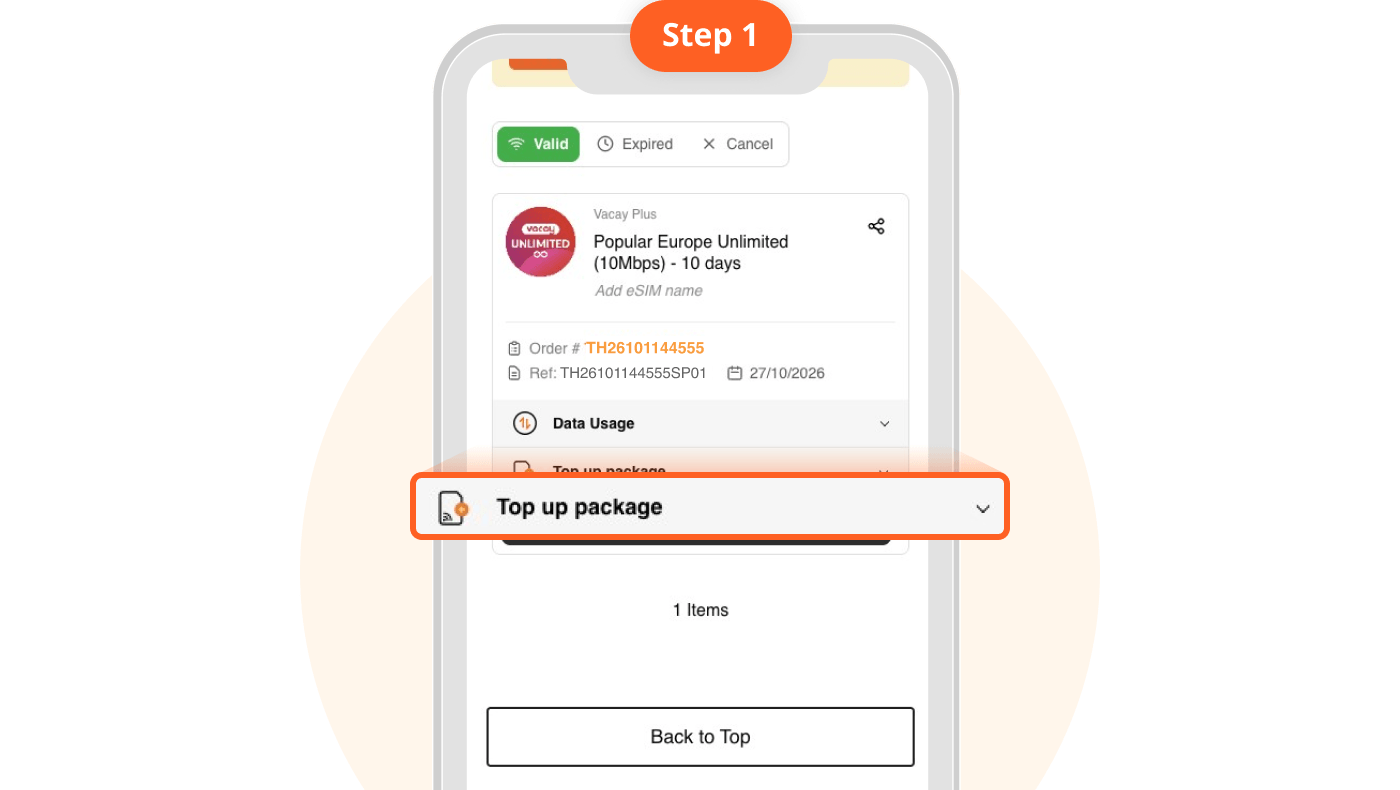
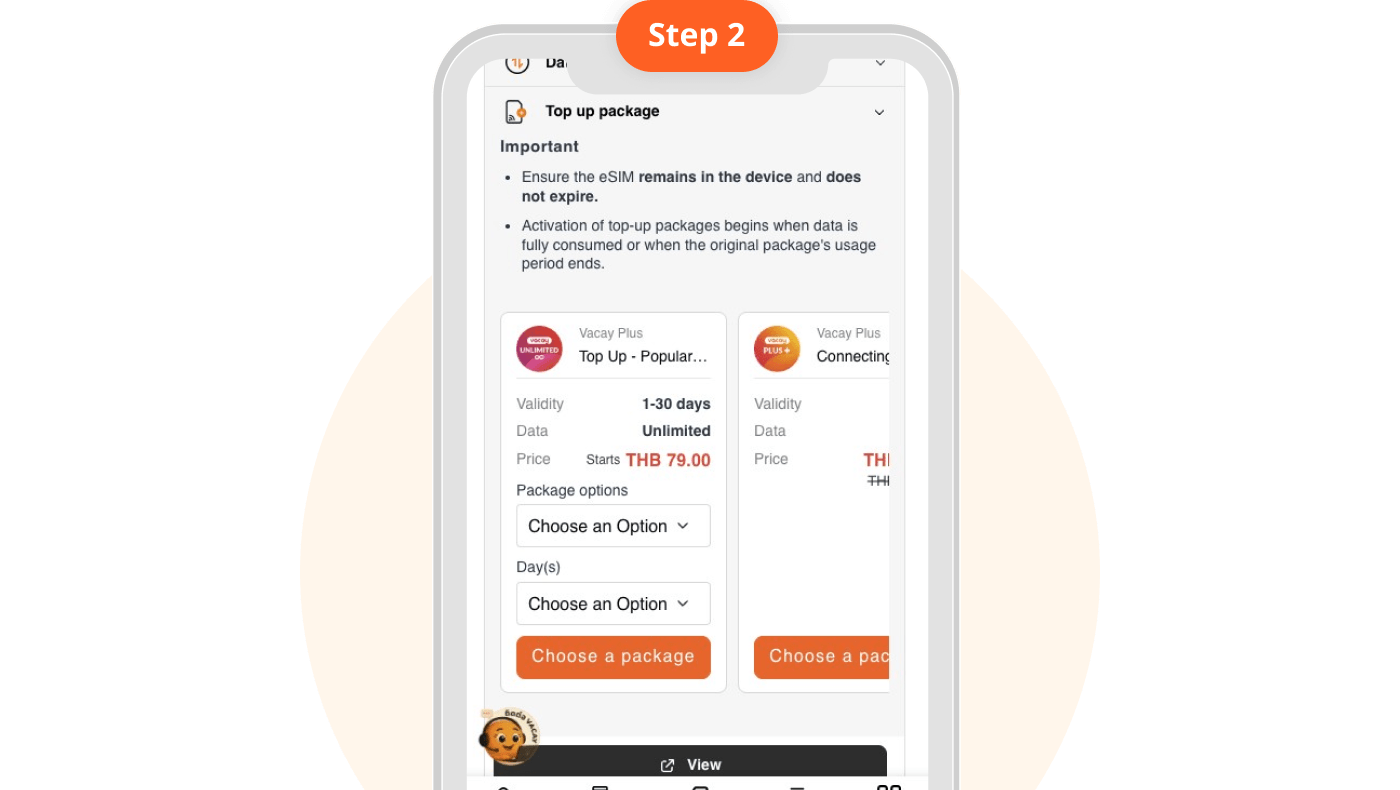
1. Go to "My eSIM" and select "Top-up Service" Check the start date for the next package validity period.
Top-up is only available for certain packages. Packages that cannot be topped up require purchasing a new eSIM and adding it to your device using the original steps.
2. Select the quantity of packages you want to top up
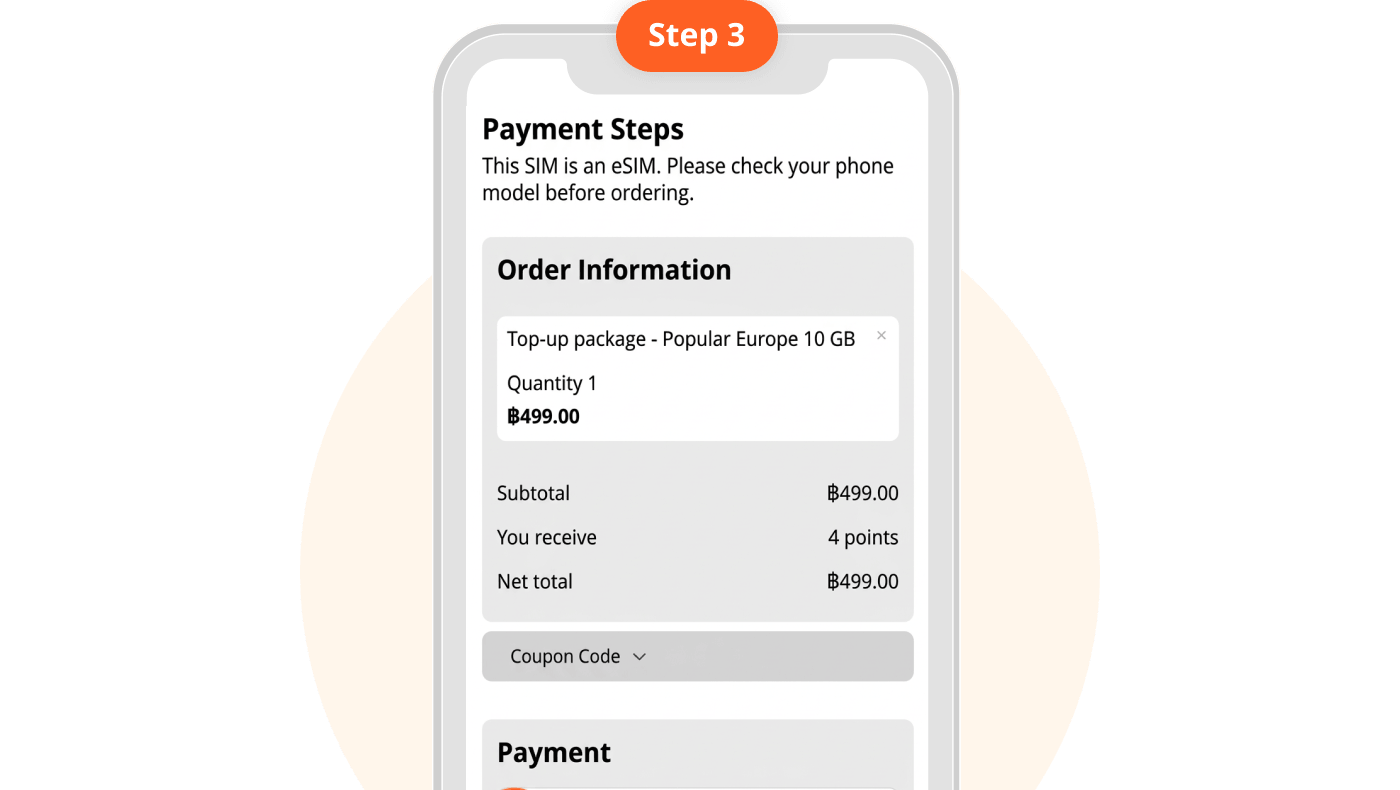
3. Make payment
Screen showing "Unable to Activate eSIM"
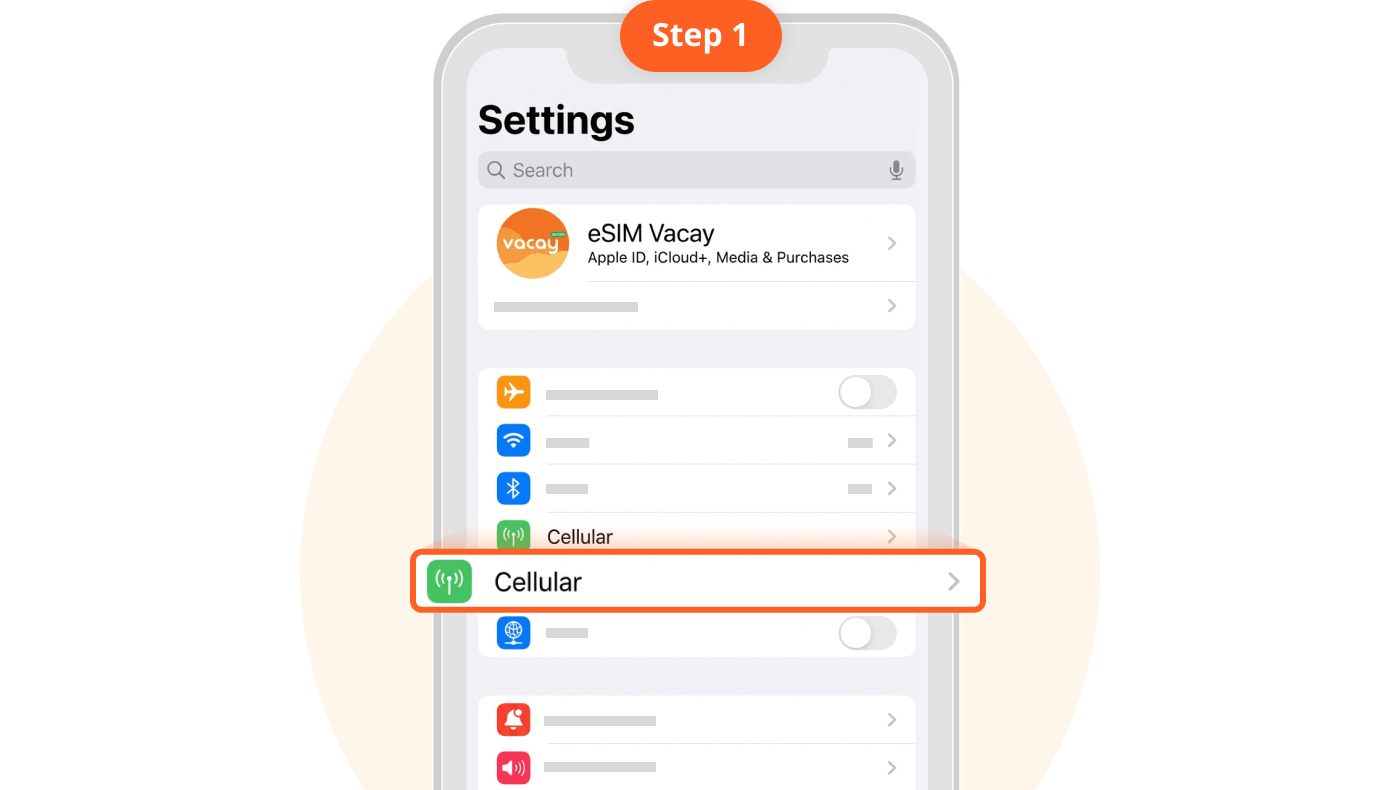
1. Go to "Settings" and select "Cellular"
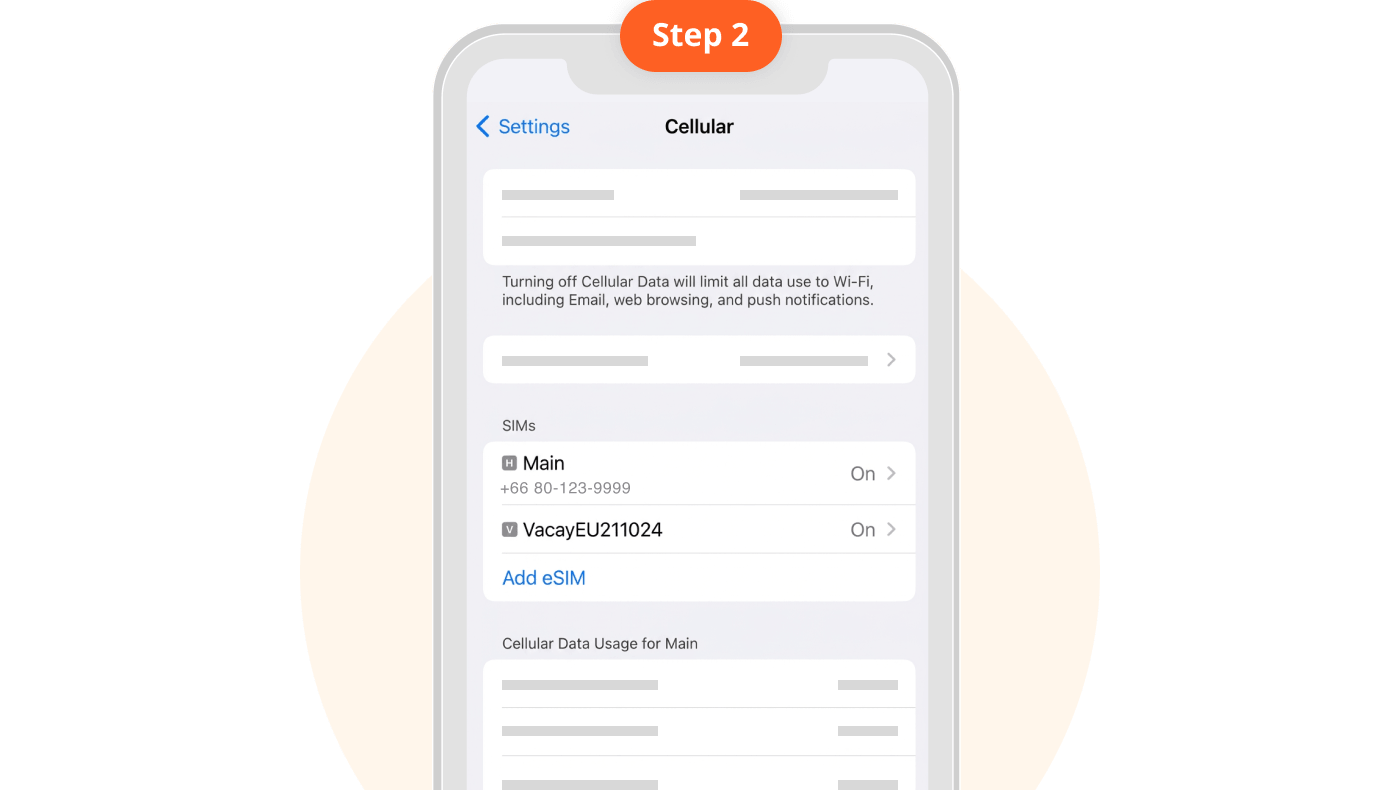
2. Notice the newly added eSIM, which may have a different name.
3. Select the newly added eSIM
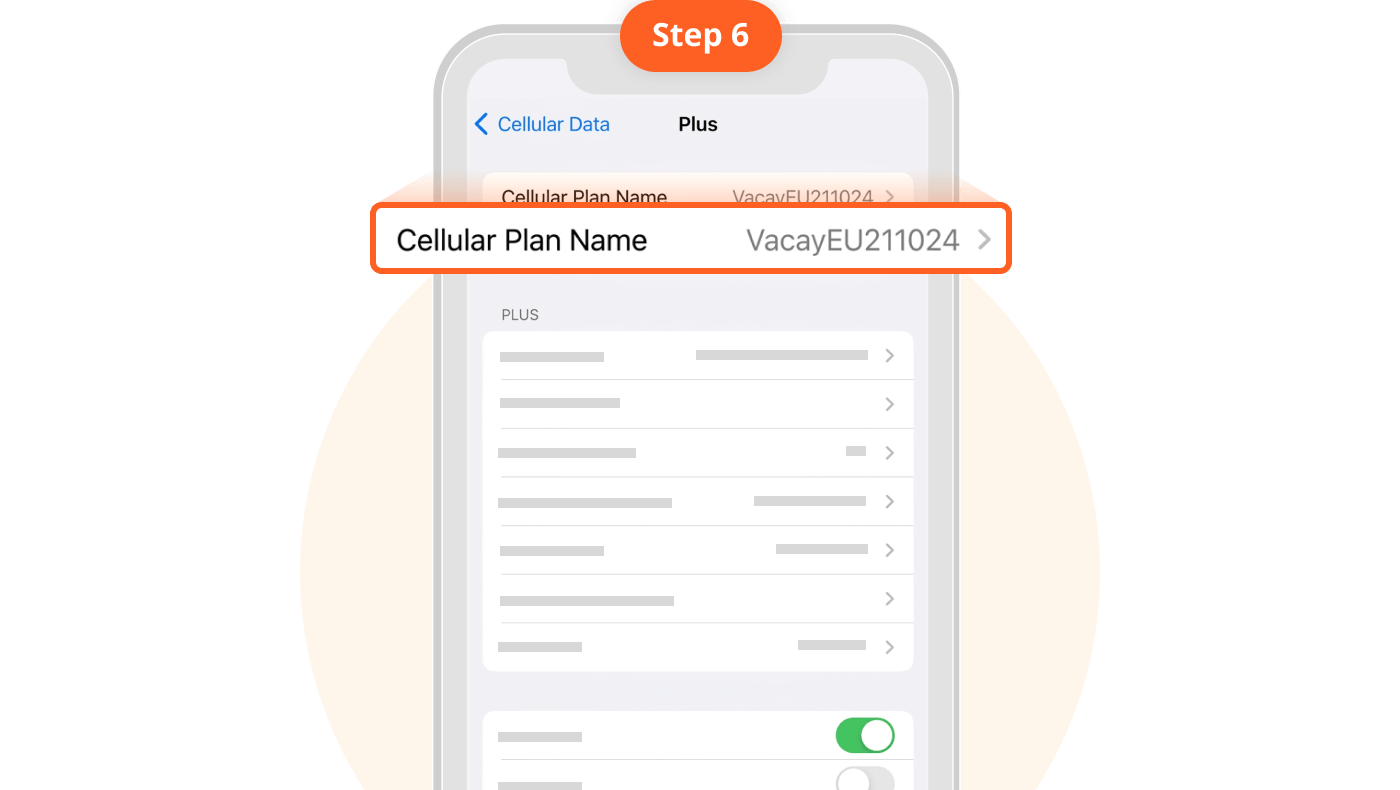
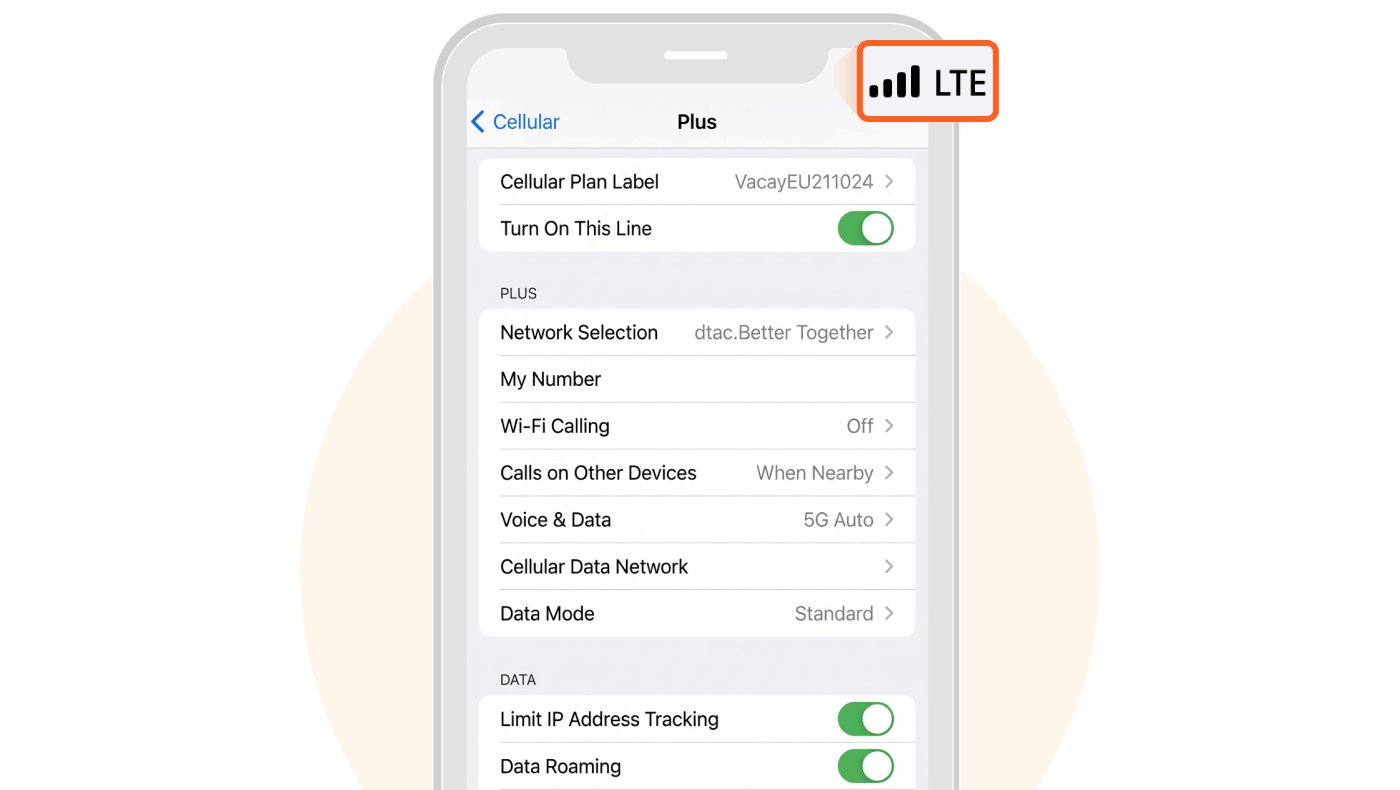
4. Rename your eSIM under "Cellular Plan Label" e.g., VacayEU211024
1. Go to "Settings" an select "Cellular"
If you accidentally delete the wrong eSIM or delete an active eSIM, it cannot be recovered. You will need to purchase and install a new one.
2. Select the eSIM you no longer wish to use
If you accidentally delete the wrong eSIM or delete an active eSIM, it cannot be recovered. You will need to purchase and install a new one.
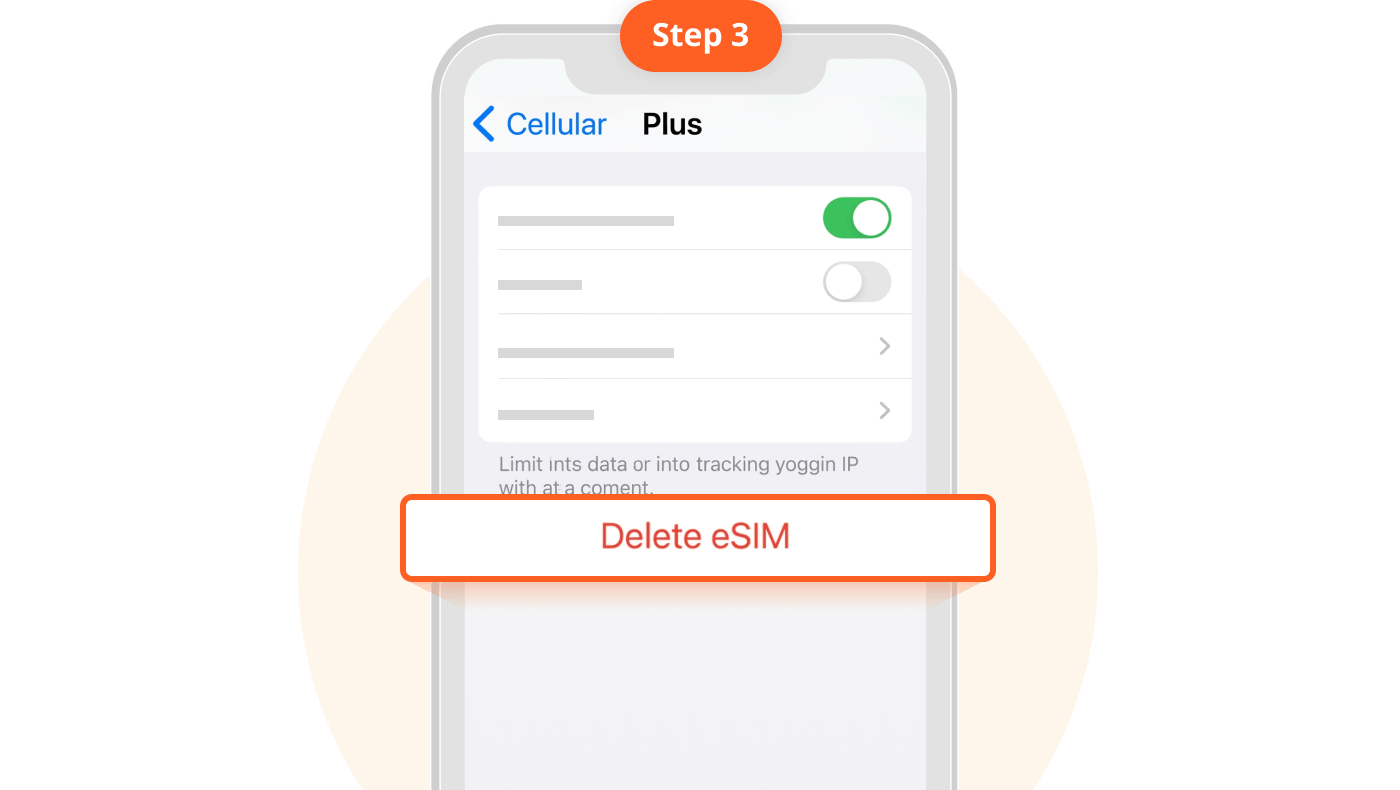
3. Select "Delete eSIM"
If you accidentally delete the wrong eSIM or delete an active eSIM, it cannot be recovered. You will need to purchase and install a new one.
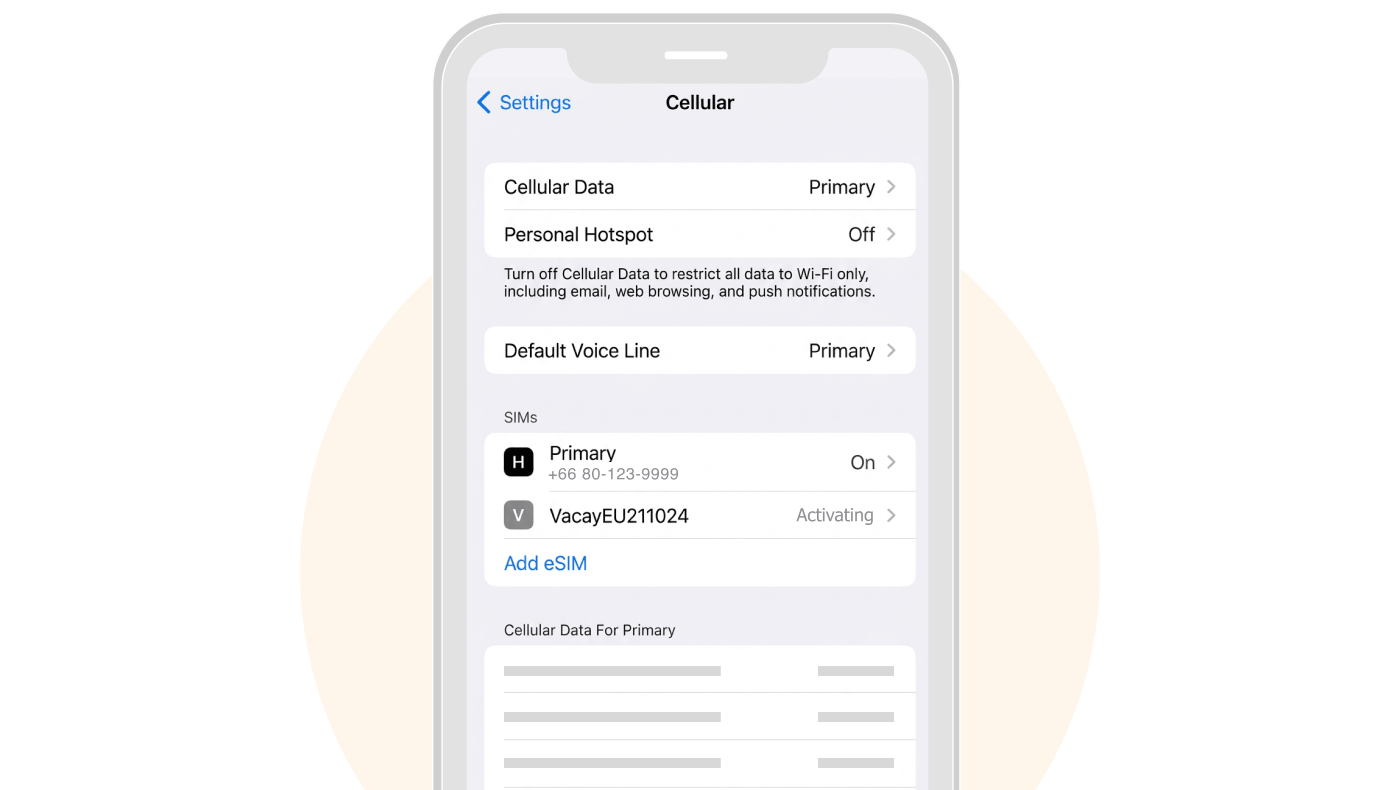
"Activating" is the process of searching for an available network.
Network searching may take a moment. You can exit the settings page during this process.
Since Vacay is an international eSIM, activating it while in Thailand will result in not finding a local network, but this has no impact on using the eSIM in your destination country.
4G / LTE refer to the same technology, though LTE is slightly more advanced than 4G.
It is completely normal for your network signal to display as LTE when traveling in many countries.
Loading data, please wait...
Go to "Settings"
Select "Cellular"
If you see the "Add eSIM" option, your phone supports eSIM.
Go to "Settings"
Select "Connections"
Select "SIM Manager" (this may vary by device model)
If you see the "Add eSIM" button, your phone supports eSIM.
Search for your destination country
Select a package
Review package details and select travel insurance
Receive QR Instantly for eSIM-compatible phones Receive Vacay Card for non-compatible phones
and choose your desired data amount
Place Orde
Make payment.
Receive QR Instantly in your "My eSIM" page Receive Vacay Card by providing your address (delivery takes 2 - 5 days)
Best Packag
Unlimited Package
Basic Package
Daily Package
Getting Started with eSIM
1. Go to "Settings"
Each eSIM QR Code can only be used once.
Validity period countdown may vary. Please check package details.
2. Tap "Cellular"
3. Tap "Add eSIM"
4. Scan QR Code
5. Tap "Continue"
5. Label your eSIM, e.g., VacayEU
6. Turn off "Primary SIM" and turn on "Vacay eSIM". Ensure Cellular Data is always set to your newly added eSIM.
7. Turn off "Primary SIM" and turn on "Vacay eSIM". Ensure Cellular Data is always set to your newly added eSIM.
8. Turn on "Data Roaming" upon arrival at your destination country
1. Gp to "Settings" and select "Connections"
Each eSIM QR Code can only be used once.
Validity period countdown may vary. Please check package details.
2. Select "SIM Manager"
3. Select "Add eSIM"
4. Scan QR Code
5. Tap "Add"
5. Label your eSIM, e.g., VacayEU
6. Turn off "Primary SIM" and turn on"eSIM Vacay". Ensure Mobile Data is always set to your newly added eSIM.
7. Turn off "Primary SIM" and turn on "eSIM Vacay". Ensure Mobile Data is always set to your newly added eSIM.
8. Turn on "Data Roamin" upon arrival at your destination country.
1. Go to "My eSIM" and select "Top-up Service" Check start date for the next package validity period.
Top-up is only available for certain packages. Packages that cannot be topped uprequire purchasing a new eSIM and adding it to your device using the original steps.
2. Select the quantity of packages you want to top up
3. Make payment
Screen showing "Unable to Activate eSIM"
1. Go to "Settings" and select "Cellular"
2. Notice the newly added eSIM, which may have a different name.
3. Select the newly added eSIM
4. Rename your eSIM under "Cellular Plan Label", e.g., VacayEU211024
1. Go to "Settings" and select "Cellular"
If you accidentally delete the wrong eSIM or delete an active eSIM, it cannot be recovered. You will need to purchase and install a new one.
2. Select the eSIM you no longer wish to use
If you accidentally delete the wrong eSIM or delete an active eSIM, it cannot be recovered. You will need to purchase and install a new one.
3. Select "Delete eSIM"
If you accidentally delete the wrong eSIM or delete an active eSIM, it cannot be recovered. You will need to purchase and install a new one.
"Activating" is the process of searching for an available network.
Network searching may take a moment. You can exit the settings page during this process.
Since Vacay is an international eSIM, activating it while in Thailand will result in not finding a local network, but this has no impact on using the eSIM in your destination country.
4G / LTE refer to the same technology, though LTE is slightly more advanced than 4G.
It is completely normal for your network signal to display as LTE when traveling in many countries.
How to get it?
1. Choose and Order
Choose your package and order eSIM on our website
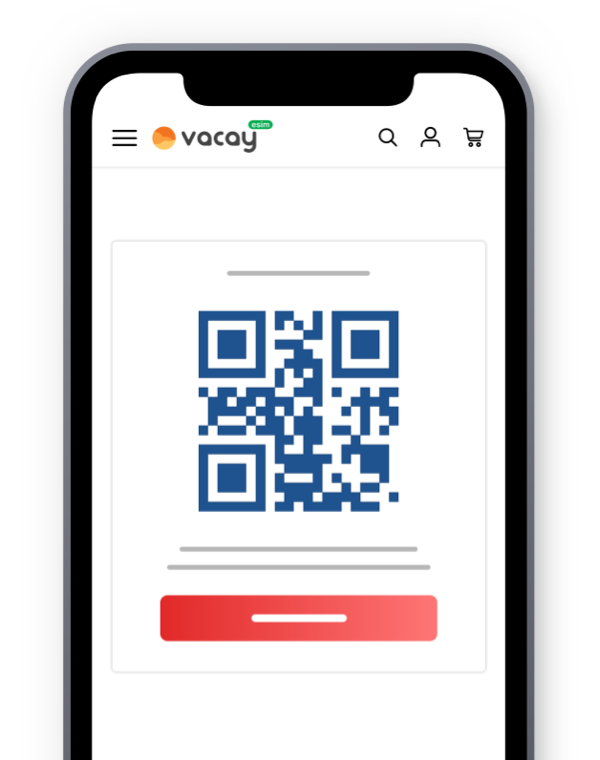
2. Scan the QR-code
Scan the QR-code or enter the information to activate your eSIM
3. Enjoy with your eSim
You can enjoy with your high speed data connectivity